5

Currently, when my button's label gets more characters, its container boxes resize horizontally, and push away the other containers next to it. I don't want this behaviour.
How do I give my boxes a fixed width, so that they don't get resized anymore when their child widgets get bigger?

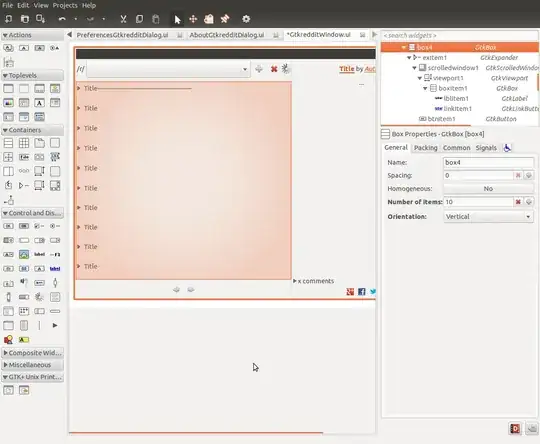
enter image description here enter image description here


Project: http://bazaar.launchpad.net/~robinj/gtkreddit/trunk/files

ish
  • 138,666
  • 36
  • 303
  • 312
RobinJ
  • 8,800
  • 8
  • 46
  • 69

2 Answers2

1
  1. Add a button and select it

  2. Go to the General tab on the right side and select "Add custom button content" (instead of the default "Configure button content" & "Label with optional image".

enter image description here

  1. Add a label to the button.

  2. Edit the details of the label (e.g "Ellipsize" = "End", "Maximum Width in Characters" = "15"). If you use glade to testdrive the application, it looks like this (the window in the middle):

enter image description here

xubuntix
  • 5,550
  • 23
  • 40
-1

For the label in Glade you can select Maximum Width in Characters in the General tab. I recommend you set that to a number such as 20 and then in your code take the first 17 characters of the text you want to display and then just append '...' so it user can see that it has been shortened. This will solve your problem.

jonobacon
  • 1,524
  • 1
  • 11
  • 14
  • They're buttons, not labels. Buttons don't have that property, and it still won't change anything to the fact that the containers will resize. – RobinJ Jun 24 '12 at 10:32