Are there any good typing tutor applications available for Ubuntu?
Asked
Active
Viewed 3.0k times
30


-
4did you already search "typing" in the Ubuntu Software Center? It comes up with a couple of them. – steabert Mar 27 '11 at 17:13
-
1This isn't a tutor, but it surely tests you: `sudo apt-get install typespeed` – Peter.O Mar 28 '11 at 13:53
6 Answers
34
Or install from the command line with
sudo apt-get install klavaro
Ubuntu 16.04 (Xenial Xerus) or later
sudo apt install klavaro
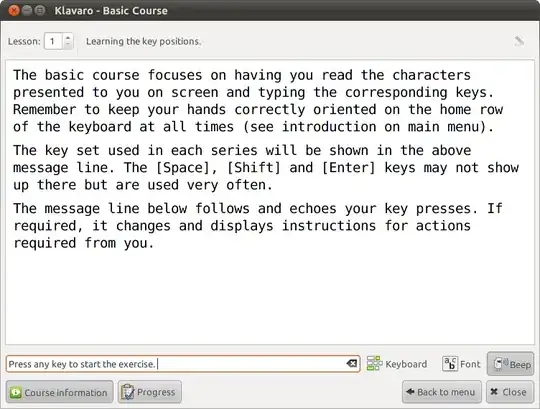
Klavaro is a simple tutor to teach correct typing, almost independently of language and very flexible regarding to new or unknown keyboard layouts. Its key features are: * Internationalization * Ready to use keyboard layouts * Keyboard layout editor * Basic course * Adaptability, velocity and fluidness exercises * Progress charts.
Screenshots



Wale Adeniji
- 345
- 2
- 7

Lincity
- 25,169
- 29
- 121
- 149
-
Adaptability practice registers backspace as a keypress and doesn't allow me to correct mistakes. Quite annoying, I don't recommend this app. – thisismydesign Sep 23 '19 at 11:28
6

OMG! Words! is free, cheesy and somewhat addictive. Better still it’s easy to play.If you have an internet connection OMG! Words! will pull glean a list of words from recent posts for you to ‘battle’ against (If you don’t have an internet connection then it just uses magic).
Installation
Add the PPAs ppa:tommybrunn/omgwords and ppa:bartbes/love-stable to your Software Sources (Here's how to do that) and install omgwords from the Software Center.

4
I have been happy with Klavaro. It is better than previous tutors I have tried.

BillThor
- 4,628
- 18
- 22
4
ktouch is a great application for this purpose.
There are also a quick game named tux typing :-)
For my purpose I use this program with wine. Maybe work with natty. Is available also in english language. Is not GPL.

peppe84
- 509
- 4
- 16
4
I would recommend Tipp10. It's a really good program.


-
-
i installed it with sudo dpkg -i filename.deb, but when i launch it from apps it does not execute. – Praveen Yadav Oct 22 '19 at 19:20
0
Type-Fu (http://type-fu.com/) is available as an OSX app and as a chrome addon.
The killer feature from my perspective was that is supports multiple keyboard layouts, including Dvorak and Coleman, whereas more typing tutors are designed around QWERTY layouts.

amc
- 7,022
- 7
- 39
- 51