1

I have this device Vodafone Option Globsurfer icon usb modem. which is working in windows 7, xp, vista. ( driver for windows: http://www.myceloteh.com/3g/softwaredriver-update-vista-for-vodafone-easybox/ with compatibility modes set to windows vista let it work in windows 7)

But i am 100% Ubuntu fan and user, when i connect the device i can see usb lsusb is detected but how can i use it?

enter image description here

under windows 7 by default did not worked unless i did following: (i am expecting similar setup how to do in Ubuntu?)
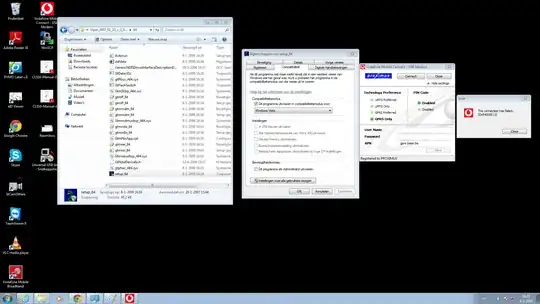
enter image description here

EDIT: saying no device

$ lsusb | grep Qualcom
Bus 003 Device 004: ID 05c6:1000 Qualcomm, Inc. Mass Storage Device
$ dmesg
g=0 syscall=2 compat=0 ip=0x7f85be2c86c0 code=0x50000
[41871.644031] usb 3-4: >new full-speed USB device number 4 using xhci_hcd
[41871.661637] usb 3-4: >New USB device found, idVendor=05c6, idProduct=1000
[41871.661643] usb 3-4: >New USB device strings: Mfr=1, Product=2, SerialNumber=3
[41871.661647] usb 3-4: >Product: USB MMC Storage
[41871.661650] usb 3-4: >Manufacturer: Qualcomm, Incorporated
[41871.661653] usb 3-4: >SerialNumber: 000000000002
[41871.698520] Initializing USB Mass Storage driver...
[41871.701459] usb 3-4: >USB disconnect, device number 4
[41894.970334] audit_printk_skb: 9 callbacks suppressed

enter image description here

  • 1
    Try with this [answer](http://askubuntu.com/a/380653/224082). See weather V-mobile-Broadband satisfy the need. V stands for Vodafone. –  Dec 29 '13 at 05:21
  • Please see my EDIT, its saying no device found. I have tried your instruction. Please advise. thank you –  Dec 29 '13 at 05:30
  • YES - it was installed: `usb-modeswitch is already the newest version. ` –  Dec 29 '13 at 05:37
  • NO - device found still saying –  Dec 29 '13 at 05:37
  • Have you tried with other dongles before? Can Network manager worked with them? In help.ubuntu.com , it has not anything specialabout vodafone. It was told it works with vodafone modem client (V-mobile-broadband). So the issue may be with network manager. –  Dec 29 '13 at 05:48
  • OK - i will check more details. It never worked for me in Ubuntu so far yet. –  Dec 29 '13 at 05:50
  • 1
    So first reinstall network manager. `sudo apt-get --reinstall install network-manager`. Then Install all the packages which network manager needs to work. `sudo apt-get install sudo apt-get install network-manager dpkg dbus dnsmasq-base iproute iputils-arping isc-dhcp-client libc6 libdbus-1-3 libdbus-glib-1-2 libglib2.0-0 libgudev-1.0-0 libnl-3-200 libnl-genl-3-200 libnl-route-3-200 libnm-glib4 libnm-util2 libpolkit-gobject-1-0 lsb-base udev upstart-job wpasupplicant wader-core` –  Dec 29 '13 at 05:52
  • I reinstalled network-manager and installed like you suggested. But still its saying "no device found" –  Dec 29 '13 at 11:38
  • 1
    Sorry. I'm afraid. Can you test the device with other Ubuntu computer and see weather it can detect?. If other computer can connect, that means there is a problem in your linux headers. Also you can try with installing `modemmanager` and see. But it removes V-mobile-broadband. –  Dec 29 '13 at 11:49

0 Answers0