2

I'm trying to install a .deb package in Natty using gdebi package installer:
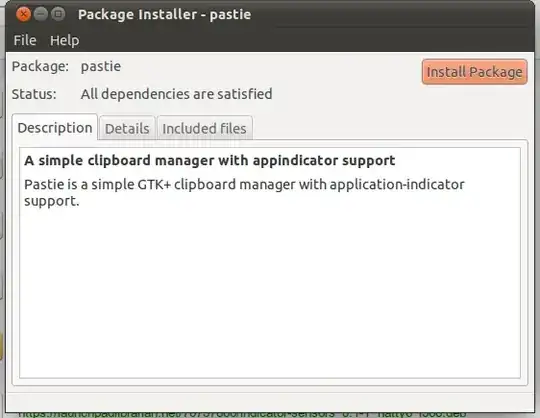
gdebi package installer

But when I click "Install", the following error message comes up:

Error message

Also, when I try to install anything from the Software Center, nothing happens. I'm guessing this is related to the above error.

Could someone please help me out with this?

EDIT: My home folder does not have a .Xauthority file.

Jorge Castro
  • 70,934
  • 124
  • 466
  • 653
Vicky Chijwani
  • 448
  • 1
  • 4
  • 15
  • Can you open a terminal, enter `ls -l .Xauthority` and add the output to your question? – qbi May 05 '11 at 12:23
  • I'm having the same problem. ls -la ~/.Xauthority gives ls: cannot access /home/mithu/.Xauthority: No such file or directory @qbi – Solidification Jul 21 '18 at 10:42

2 Answers2

5

Please check the permission, user name and user group of .Xauthority

ls -la ~/.Xauthority

It needs to be owned by you and the permissions should be -rw-------
To alter name and group:

sudo chown youruser:youruser ~/.Xauthority

To alter persmission to -rw-------
chmod u+rw ~/.Xauthority

(Replace youruser by your username.)

If this is the cause: Did you install anything prior to this package or issue sudo commands? There are some things in the past that I saw messing up the permission for this file. Notably things like samba, sudo ssh.

Fabby
  • 34,341
  • 38
  • 97
  • 191
Rinzwind
  • 293,910
  • 41
  • 570
  • 710
  • The problem seems to be occurring randomly. I tried installing the package 20 minutes after posting this question, and it worked! So the problem has been solved (temporarily atleast). Surprisingly, the .Xauthority file does not exist in my home folder. Should I create an empty file with the above permissions? Will that be a permanent fix? – Vicky Chijwani May 07 '11 at 08:31
  • And, btw, there seems to be a _tiny_ syntax error in your answer: The first command should be "ls -la ~/.Xauthority" :) – Vicky Chijwani May 07 '11 at 08:41
  • The file should be automatically created on log-on. It looks like some package is messing up the file. From what I have read candidates are: Gnome3, ssh and/or a wrongly type sudo command in your home dir. – Rinzwind May 07 '11 at 08:43
  • of the possible causes you mention, I think ssh might be the culprit. I don't have GNOME3 installed. So should I _create_ the .Xauthority file myself and change its permissions to the appropriate ones? – Vicky Chijwani May 07 '11 at 09:38
  • Even though the .Xauthority file does not exist in my home folder, everything seems to working fine now, so I'll accept your answer. – Vicky Chijwani May 08 '11 at 15:43
  • @Rinzwind Having the same problem. ls -la ~/.Xauthority gives ls: cannot access /home/mithu/.Xauthority: No such file or directory – Solidification Jul 21 '18 at 10:43
  • @mithusengupta123 this question is about Natty from 2011. Type ` xauth` in command line and it will show where it is. `/run/user/1000/gdm ` is the normal place nowadays. BUT I would create a new question if you have a problem. .Xauthority in /home/$USER/ is no longer needed ;) – Rinzwind Jul 21 '18 at 12:17
  • @Rinzwind Thanks. It automatically created the file after reboot. – Solidification Jul 21 '18 at 12:31
  • @mithusengupta123 good :D :D – Rinzwind Jul 21 '18 at 12:33
0

Here is what I found by simple Googling,

First make sure that users .Xauthority file is present in their home directory and make sure it has the correct permissions. running ls -l /home/username/.Xauthority should result in this output:

-rw------- 1 username username 319 2008-08-22 19:35 .Xauthority

If it doesn't look like that, you may have to change the ownership and permissions manually: sudo chmod 600 /home/username/.Xauthority sudo chown username:username /home/user/.Xauthority Be sure to change all instances of username to the correct username.

Credits eightmillion

Scott Severance
  • 13,776
  • 9
  • 52
  • 76
puneet
  • 1,302
  • 9
  • 14