2

After you reboot and the system is all loaded up, is there a place that stores the system boot time; meaning the total time it took for the system to boot back up.

I would like to compare different systems and their boot times perhaps for testing things like fastest booting OS's, optimization performance, or fastest booting drives like solid-state drives compared to other drives.

Brian T Hannan
  • 1,071
  • 4
  • 15
  • 26

4 Answers4

5

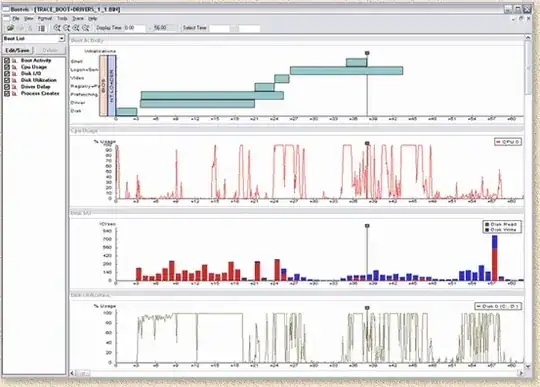
If you're running Windows XP, use Bootvis. you will get a detailed graph showing you exactly how long each application and device driver takes to load.

enter image description here

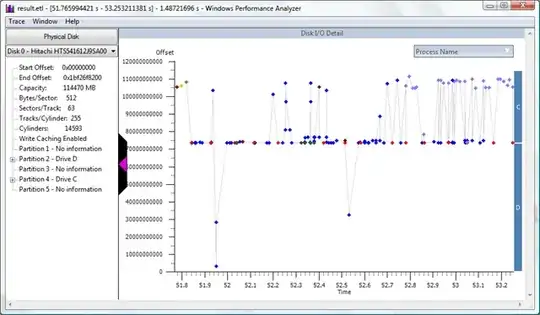
For later Windows versions use MSDN's Windows Performance Toolkit, an even better set of tools than the old Bootvis utility. At its most basic, you can use the tools to provide you with a similar graphical display of boot performance which was provided by Bootvis.

enter image description here

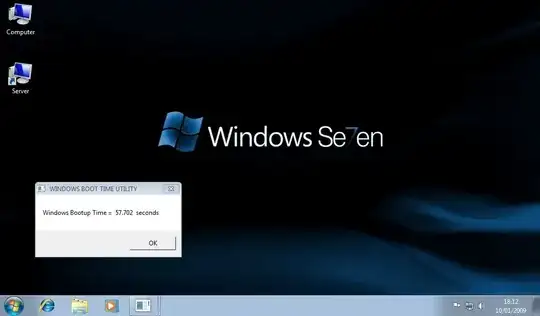
A simpler application would be Boot Timer, but it also works for Vista/7.

enter image description here

And then there is Passmark's AppTimer to analyze the startup behaviour of applications.

enter image description here

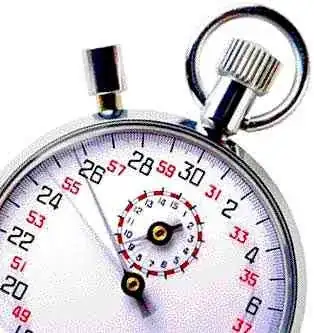
So much for software. Other than that, resort to Phoshi's hardware solution that works cross-platform :)

enter image description here

Gaff
  • 18,569
  • 15
  • 57
  • 68
  • Boot timer isn't very practical for his needs, as it doesn't tell you the boot time, but rather the time since boot, and you also need to reboot to start it working. Bootvis is much more suitable. – John T Feb 03 '10 at 18:42
  • 1
    @John T - Yes, BootTimer is a very basic stopwatch without any diagnostic capabilities, only good to compare the results after changes to the system have been made. No match for the sophistication of Bootvis but better than nothing :) –  Feb 03 '10 at 18:46
  • Great answer, Molly! I will be checking these out to see if any of them will work for me. Thanks. – Brian T Hannan Feb 03 '10 at 21:35
  • Bootvis is great, is there any way to run it in Vista and Win7? – Brian T Hannan Feb 03 '10 at 23:39
1

In PowerShell:

$os = Get-WmiObject -computer localhost -class Win32_OperatingSystem

$boot = $os.ConvertToDateTime($os.LastBootUpTime)

then

((Get-Date) - $boot).TotalSeconds

or in Days:Hours:Minutes:Seconds...

((Get-Date) - $boot).ToString()
njd
  • 11,058
  • 3
  • 39
  • 36
  • This isn't right...I just ran it and it told me 428239 seconds. (over 4 days). There's no way it took that long for my PC to boot up. I think instead you may be calculating how long since windows booted up, and not how long it took to boot up. – davr Feb 03 '10 at 18:53
  • I believe this would work fine if you ran it immediately after boot, which you would be. – Phoshi Feb 03 '10 at 19:05
0

How to find the last 2 boot time using PowerShell?

Get-EventLog -LogName System -Source Microsoft-Windows-Kernel-General | Where-Object {$_.EventID -eq 12} | Select-Object -Property TimeGenerated -First 2
JinSnow
  • 774
  • 11
  • 25
0

Under Linux, use bootchart to measure the boot time. It can also be used to analyze how much time is spent by which programs as well as I/O and CPU use.

More basically, you can check /proc/uptime to see how long the kernel has been running.

Jaap Eldering
  • 9,425
  • 2
  • 18
  • 26