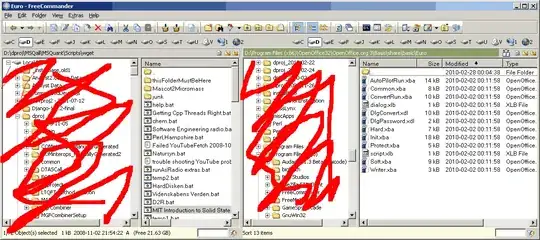
How can the display state in FreeCommander for files/folders be restored to the initial state (as after installation)?
I have inadvertently changed the display state, see below, in FreeCommander and I can't figure out how to get back to the previous state. I don't want both the folder hierarchy and the one folder view in each panel. I only want the one folder view in each panel, corresponding to the scratched out parts not being there in this illustration: