6

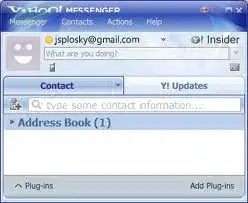
Yahoo Messenger is huge:

alt text

And that's as short as you can make it, it won't shrink vertically anymore.

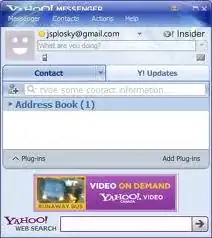
How can I make it a more reasonable size, e.g.:

alt text

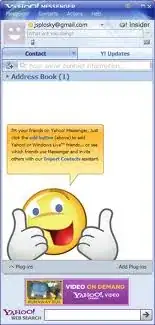
In fact, if we're making it look better, how about Yahoo stops not caring about their users and makes it:

alt text

Okay, yes, the last one was me complaining. But the first two are a valid question!

Note: The cut-off title bar is because Yahoo! developers don't pay their taxes, and assume that everyone runs at 96dpi.

Vomit IT - Chunky Mess Style
  • 40,038
  • 27
  • 84
  • 117
Ian Boyd
  • 21,642
  • 49
  • 139
  • 184
  • 4
    Not an answer, but if you can live without all the ads you should give pidgin a try. http://www.pidgin.im/download/windows/ – Benjamin Bannier Apr 23 '10 at 01:16
  • 1
    or Trillian, free edition...works well with many IM services, including Yahoo!. includes Facebook, Windows Live, AOL, etc...http://www.trillian.im/ – studiohack Apr 23 '10 at 02:16
  • might want to blur parts of your screenshots, they are displaying your email...just a suggestion... – studiohack Apr 23 '10 at 02:17
  • @studiohack i did obscure my e-mail address. And by obscuring it, i changed it. i guess you don't know who Joel Splosky is. And my subtle joke fails. – Ian Boyd Apr 23 '10 at 13:15
  • @honk, @studiohack: i use Y!, not because it's a good product, but because it's the only product that can send SMS (i.e. text messages) for free. (Live Messenger gives an error message with the person i want to message, Skype requires credits) – Ian Boyd Apr 23 '10 at 13:17
  • @Ian Boyd: no, I don't know who Joel Splosky is but I did wonder about it being a Gmail address...and yes, I actually SMS from Y! myself...sometimes it doesn't deliver all the text messages though...ever have that problem? – studiohack Apr 23 '10 at 14:45

1 Answers1

1

I am still using the old 8.1.0.421 version because I have no need for the extra stuff they put into the latest versions but this is how my window looks:
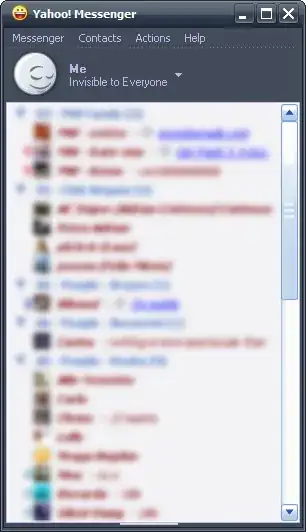
clean YM window

I do not know to which extent this can still be done in newer versions, but the way I did it on the version that I'm using was by going to the "Messenger" menu >> Show/Hide >> Unchecked everything but "Status Chooser" (for an even more compact view, this can be unchecked as well). Basically, a lot of stuff can be either disabled or hidden to make the most compact view possible.

For the annoying ads (I mean, seriously, forcing animated, flashy ads on a user's desktop ?!), I used a batch script (noYMads) that does the required modifications automatically, but for your version, doing a quick search on Google will give you plenty of options. One that popped out and looked promising is Ad Banner Remover Plus.

Also, just in case you're interested in this older version, it can still be found on oldversion.com.
Gaff
  • 18,569
  • 15
  • 57
  • 68
  • +1 for oldversion.com - i didn't know about that i got version 8 of Ygly. It still had ads, doesn't support high-dpi mode (so everything is impossibly tiny to read), and it doesn't allow resizing. But it is a little bit shorter. So that's good. – Ian Boyd Apr 24 '10 at 20:48
  • 1
    Just in case anyone is interested in that batch script I mentioned which works on the old version of YM, I have edited my answer and added a link to it as well. – Valentin Flachsel Apr 24 '10 at 21:37