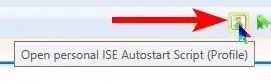
I found a solution I like at https://community.idera.com/database-tools/powershell/powertips/b/tips/posts/toggling-comments-in-powershell-ise.
It works for one or many lines, or even within lines. Place this function in your $Profile file.
function Toggle-Comment
{
    $file = $psise.CurrentFile
    $text = $file.Editor.SelectedText
    if ($text.StartsWith("<#")) {
        $comment = $text.Substring(2).TrimEnd("#>")
    }
    else
    {
        $comment = "<#" + $text + "#>"
    }
    $file.Editor.InsertText($comment)
}

$psise.CurrentPowerShellTab.AddOnsMenu.Submenus.Add('Toggle Comment', { Toggle-Comment }, 'CTRL+K')
$Profile is run every time ISE is opened, so the function is always available. The function creates a new menu item with keyboard shortcut Ctrl-K that comments or uncomments the selected lines.
If the $Profile file is not yet created (it's often not), you can create it like this:
New-Item -Path $profile -ItemType "file" -Force
(source for command: https://docs.microsoft.com/en-us/powershell/module/microsoft.powershell.management/new-item?view=powershell-7.2)