7

I dont know what is going on but my disk space seems to be going down and i am not downloading anything. What app can i use on windows to keep track of diskspace? I used windirstat which tells you how much data a folder is holding but i still cant figure out the problem.

I did notice a folder holding 1.7gb for visual studio's intellitrack (or whatever that thing is called)

-edit- Today i found it has taken up 7gb (weird, after deleting i only have 4gb and i can see in windirstat that it says 7gb). My HDD actually hit 0bytes left on the C drive.

C:\ProgramData\Microsoft Visual Studio\10.0\TraceDebugging
studiohack
  • 13,468
  • 19
  • 88
  • 118
  • 1
    What exactly do you want to know about your disk space, other than what folders are using it up? – David Z Jun 09 '10 at 23:37
  • 1
    It's InteliSense, not IntelliTrack :) – squircle Jun 10 '10 at 00:02
  • 2
    Have a look at http://superuser.com/questions/10820/how-to-find-disk-usage-of-folders-in-windows http://superuser.com/questions/8248/best-program-to-visualize-file-system-usage-on-windows http://superuser.com/questions/22595/whats-using-up-my-disk-space http://superuser.com/questions/61880/windows-7-mysteriously-missing-free-hdd-space/ – Sathyajith Bhat Jun 10 '10 at 00:58
  • You might gain some insight by running ccleaner, and just having it analyze, not clean. It's possible that temporary files, internet cache, etc. are taking up quite a bit of space. – nhinkle Jun 10 '10 at 03:11
  • Actually its IntelliTrace not InteliSense. –  Jun 15 '10 at 06:29
  • IntelliTrace and IntelliSense are two different features of the same product. – Hello71 Jul 09 '10 at 21:22
  • 1
    IntelliTrace helps debugging (not sure exactly how). IntelliSense is an auto-completer for names (classes, namespaces, methods, properties). – Hello71 Jul 09 '10 at 21:23
  • @Hello71: yep. And i found a monster2gb folder with IntelliTrace information. Not exactly something you'd see IntelliSense do. –  Jul 11 '10 at 04:48
  • All of these answers *measure* disk space, but none of them *track* disk space. I'm constantly running out and I want to know which folders have exploded since yesterday, not just which folders are biggest – endolith Dec 08 '19 at 15:44

4 Answers4

8

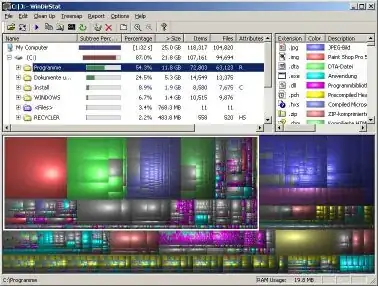
I would highly advise using WinDirStat. It gives a visual and statistical overview of which files are taking up space. Large files are shown as larger blocks, and they are color coded by file type. It also tells you what percentage of the hard drive space each directory is taking up. Very useful, and free, too!

win dir stat main screen

Gaff
  • 18,569
  • 15
  • 57
  • 68
nhinkle
  • 37,198
  • 36
  • 140
  • 177
5

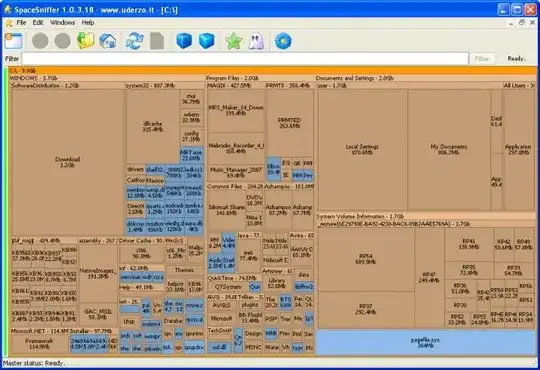
Space Sniffer has won awards, and I love it, after trying WinDirStat and some other big ones...My favorite thing about it, is that it constantly refreshes, so when I delete something, it updates the display right away...

alt text

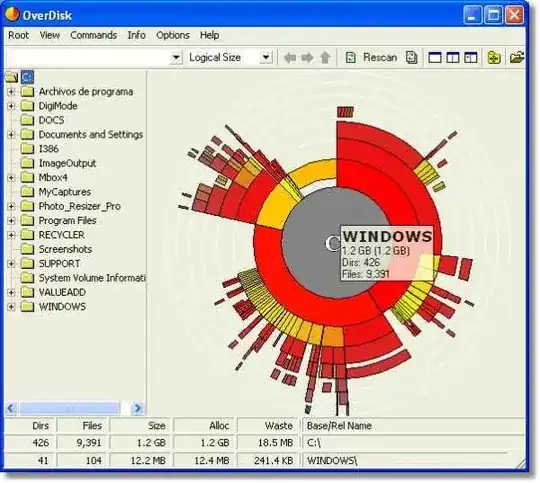
Overdisk is in radial graph form, and I have used this one, works well.

alt text

studiohack
  • 13,468
  • 19
  • 88
  • 118
3

You might want to try Treesize Personal or Treesize Free:

http://www.jam-software.com/treesize_personal/

http://www.jam-software.com/freeware/index.shtml

user4892
  • 306
  • 1
  • 3
  • 1
    do either show a before or after? or have a save feature so i can save both, look at what it was before and now? –  Jul 11 '10 at 04:49
1

You can try using SpaceMonger v1.4.0, it is free to use.

HackToHell
  • 6,328
  • 3
  • 38
  • 62
Scott McClenning
  • 3,545
  • 18
  • 19