3

Where are scheduled tasks stored in an offline Windows 10 image, as within an install.wim, I noticed there are no scheduled tasks within an index's:

  • .\Windows\Tasks: Screenshot1
  • .\Windows\System32\Tasks: Screenshot2
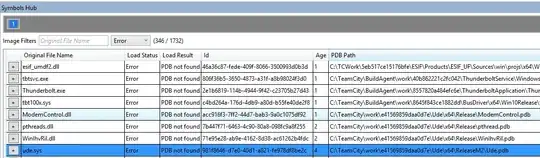
  • HKLM\SOFTWARE\Microsoft\Windows NT\CurrentVersion\Schedule\TaskCache:
    (shown are the basic tasks windows needs to function I guess) Screenshot3
JW0914
  • 7,052
  • 7
  • 27
  • 48
PolisP
  • 65
  • 8
  • I'm not entirely sure, but I believe they get added as the software that requires them is installed during the install process. – LPChip Oct 28 '20 at 22:40
  • @LPChip Do you think there is a way to interrupt that process and prevent specific tasks from being installed? Maybe via DISM? thanks for the info – PolisP Oct 28 '20 at 22:44
  • Find out what programs match what scheduled task, and change that these are not installed I guess... – LPChip Oct 29 '20 at 07:42
  • @PolisP You can't "interrupt" a Windows install, but you can boot to the [`auditSystem`](https://docs.microsoft.com/en-us/windows-hardware/manufacture/desktop/auditsystem) setup phase via an answer file [[`Unattend.xml`](https://docs.microsoft.com/en-us/windows-hardware/customize/desktop/wsim/windows-system-image-manager-how-to-topics)] _(or include the changes within the answer file)_ or from OOBE via [`Ctrl`+`Shift`+`F3`](https://docs.microsoft.com/en-us/windows-hardware/manufacture/desktop/boot-windows-to-audit-mode-or-oobe) and make your changes there. – JW0914 Jun 13 '21 at 15:33

0 Answers0