0

Relevant system specs:

Intel i3-530
Gigabyte GA-H55M-UD2H
Samsung SH-B083A Blu-ray/DVD Combo Drive
Windows 7
Power DVD 8 (OEM) and Power DVD 10 Ultra (Trial version)
Samsung Plasma (via HDMI)

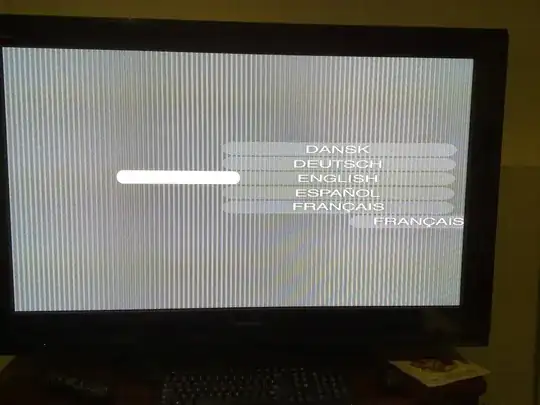
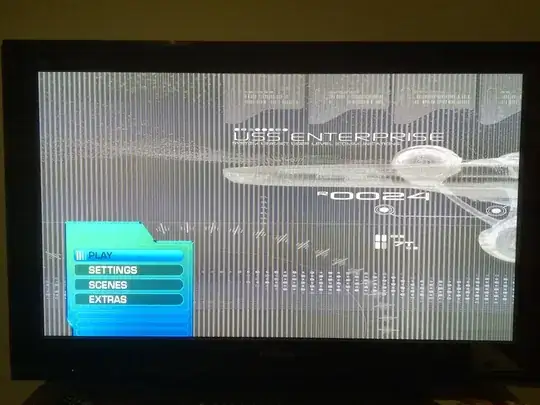
When I try and play a Blu-Ray (Star Trek - the only one I own), I see images like the following (sorry for the phone camera but you can't take screenshots when Power DVD is open):
enter image description here

enter image description here

enter image description here

enter image description here

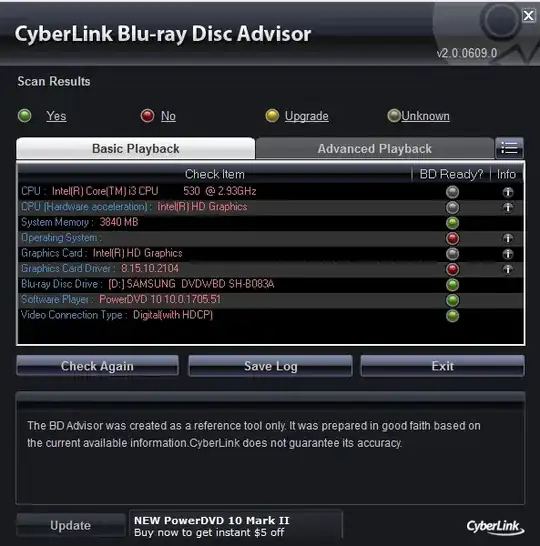
When I open the Cyberlink BD Advisor (which is supposed to show if your system is Blu-Ray ready), I see this:
alt text

Obviously it came out before Windows 7, hence why the OS isn't showing up. The graphics driver is the latest one from the Gigabyte website and is time-stamped at 2010/04/27 so there's no way it could be out of date.

The drive came with PowerDVD 8 but I've tried the trial version of PowerDVD 10 and the same thing happens. Any clues as to what could be going wrong?

Gaff
  • 18,569
  • 15
  • 57
  • 68
Catchwa
  • 101
  • 5
  • This is a long shot but on the link you provided to your motherboard "Note 2" tells us you must have a CPU with integrated graphics. What CPU are you running? Also, have you tried any other players? I would install the K-Lite Codec Pack and try to play your BD with Media Player Classic (MPC) which comes with it. It is free and I know I like it a lot better than most players out there. – ubiquibacon Jul 26 '10 at 12:51
  • @typoknig: CPU is an i3 530 which has integrated graphics. I didn't realised that MPC can play Blu Rays so I'll give that a shot. – Catchwa Jul 26 '10 at 23:20

1 Answers1

0

So the same Blu-Ray worked in TotalMedia Theatre 3 Platinum so I'm just going to give up on Power DVD.

Catchwa
  • 101
  • 5