11

Possible Duplicate:
Search through bookmark in chrome addressbar?

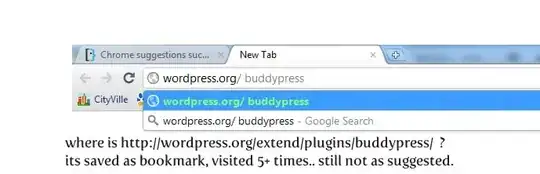
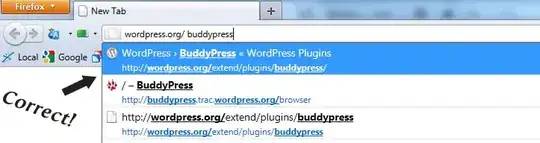
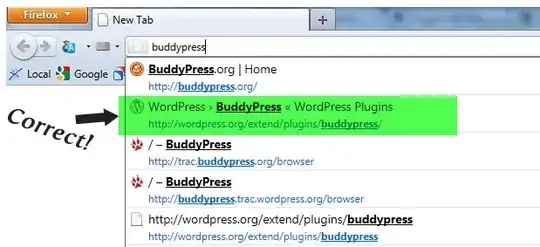
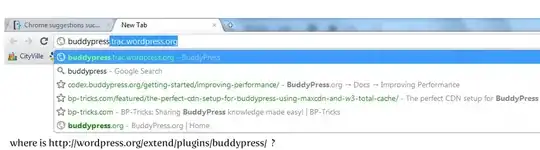
http://wordpress.org/extend/plugins/buddypress/ is the page what i want to see when i type "buddypress" in chrome. I have it as marked in my bookmarks, i visited page 5+ times etc..

Firefox: enter image description here

Chrome: enter image description here

even i am trying on writing "wordpress.org/ buddypress" chrome still sucks and not displaying: enter image description here

firefox: enter image description here

So, how can i tame chrome?

Ünsal Korkmaz
  • 211
  • 1
  • 5
  • 2
    btw if you wanna ask "why not resume to use firefox?" I am bored from firefox's memory hog problems. Sometimes its starting to use 2+ GB ram with 3 page -.-' – Ünsal Korkmaz May 04 '11 at 22:54
  • Update: After months, i tried Chrome again. It seems they fixed this and now Chrome is working like Firefox. Tried on Chrome 20.0 – Ünsal Korkmaz Jul 03 '12 at 02:36

1 Answers1

1

Have you visited that site in Chrome? Firefox appears to be pulling that hit from your browsing history, and if you have no such hit in your Chrome history, that's a pretty darned unfair "test".

Regardless, visit the site you're wanting Chrome to pick up on more frequently. And bookmark it -- Chrome seems to give a higher priority to bookmarked hits (totally subjective observation from my own experience; YMMV). The more you use Chrome, the more it learns about your browser habits, and the more better its omnibar suggestions will become. For example, I spend a lot of time on the various SE sites; now when I type "linux" or "unix" into my Chrome's omnibar, the Unix & Linux SE site is the very first suggestion. Took some time to get that there, though, as opposed to the countless Google searches I've run from there for "linux this" and "linux that" and "how the heck do i do this on linux?"!
Kromey
  • 5,115
  • 2
  • 27
  • 27