21

I am coding on something and want to map \cygwin\home\bob\code\ to U: drive letter. When I try to map it using net use C:\cygwin\home\bob\code\ U: /P:yes , but it gave the following error:

System error 67 has occurred
The network name cannot be found

But it's not actually a network path I'm trying to map. How do I do this?

Flimzy
  • 4,374
  • 21
  • 41
Alexander Bird
  • 1,827
  • 4
  • 19
  • 25

4 Answers4

25

If it is only local what you need, try subst.

subst u: C:\cygwin\home\bob\code\
R-D
  • 2,546
  • 1
  • 19
  • 22
  • 1
    I got problems if I had a trailing backslash - if it doesn't work try it without. Then punch the screen. Then correct your sprelling. – CAD bloke Feb 17 '13 at 23:44
  • It it normal that those virtual drives do not show-up in the Windows Explorer (Win10 1803)? – Robert Sep 13 '18 at 07:22
4

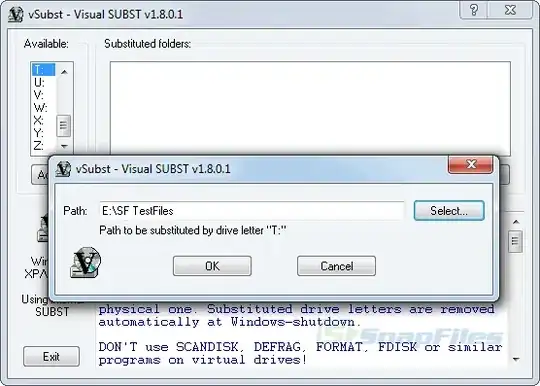
Use vSubst. It is like the subst command line tool, but it has a UI and is persistent.

screenshot

newenglander
  • 359
  • 2
  • 11
Kevin
  • 2,051
  • 1
  • 17
  • 15
2

When you map drives they must be mapped to a SHARED network folder. You are trying to map to a local path, it won't work. Instead try sharing the Code folder then use this:

net use u: \\yourpcname\code /p:yes

paradd0x
  • 9,149
  • 7
  • 37
  • 44
Mucker
  • 815
  • 6
  • 7
1

The best way to do this across bootup is to put it in the registry. Open regedit.exe by pressing Win + R and typing regedit then hit Enter or click OK. Navigate to HKEY_LOCAL_MACHINE \ SYSTEM \ CurrentControlSet \ Control \ Session Manager \ DOS Devices

Add a new string that is a REG_SZ value. Name it X: where X is your drive letter The value should be the path you want mapped to that drive letter, in this form:

\DosDevices\C:\Folder\Example

DrZoo
  • 10,469
  • 4
  • 42
  • 60
Malcolm
  • 11
  • 1