11

I was wondering whether there is a way to mute / unmute a particular application in the mixer by a keyboard shortcut.

So e.g. by CTRL M W to mute / unmute the sound of Winamp. I am not asking about muting sound in general as in Is there a shortcut to mute sound in Windows 7?, but the sound for a particular application.
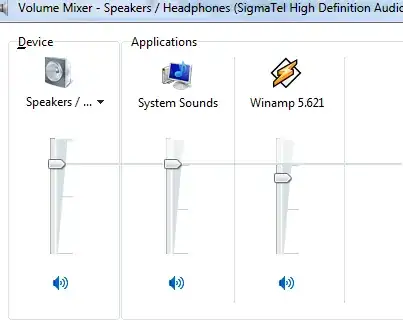
enter image description here

Horst Walter
  • 1,899
  • 7
  • 27
  • 46
  • In case anyone thinks of closing as duplicate the answer to http://superuser.com/questions/284527/where-are-the-vista-win7-volume-mixer-settings-stored doesn't appear to help as I can change the values stored in the registry but the mixer does NOT actually read the updated values to mute and unmute – nvuono Feb 04 '13 at 16:07

1 Answers1

10

The solution is to use the freeware nircmd tool and create a desktop shortcut with whatever hotkey you'd like in order to run one of the following commands:

As documented at http://nircmd.nirsoft.net/changeappvolume.html

changeappvolume [Process] [volume level] {Device Name/Index}

Examples:

changeappvolume iexplore.exe -0.2

changeappvolume wmplayer.exe 0.55 Speakers

changeappvolume /1275 -0.25 1

changeappvolume Firefox.exe 0.5

nvuono
  • 803
  • 9
  • 15
  • update from 2017, now there is a specific command on nircmd called muteappvolume that does exactly what you desire. http://nircmd.nirsoft.net/muteappvolume.html – Valerio Dec 05 '17 at 00:25