PFrank to the rescue.
PFrank is probably the most powerful and flexible automated Windows GUI batch renamer on Windows.
And it's free!
www3.telus.net/pfrank/
http://pfrank.s4.bizhat.com/index.php?mforum=pfrank
Instructions
(Images are auto-scaled - use your browser menu options to view full size in the proper resolution).
Put the files into a folder named as the gallery - this name will be reused in the filenames along with a counter to make each file unique
1) Here's the list of files:
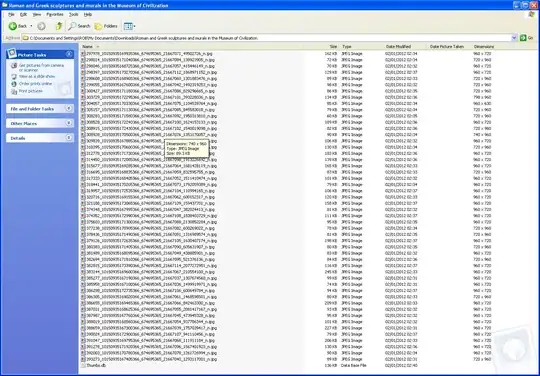
2) Here are the PFrank renamer settings:
In plain text these are the following in the List:
Line 1:
Search pattern:
([0-9]+)([0-9]+)([0-9]+)([0-9]+)([0-9]+)_n.jpg
Replace pattern:
Line 2:
Search pattern:
Replace pattern:
Insert Folder beforePrefix*
Line 3:
Search pattern:
Replace pattern:
Insert Counter afterAll*
Line 4:
Search pattern:
(.*)
Replace pattern:
1.jpg
Notes:
List step #1 removes the facebook filename
List step #2 puts the containing folder/directory name into the filename
List step #3 appends the counter to make the file unique
List step #4 appends the .jpg extension
- you'll see some of the Search pattern: and Replace pattern: are empty - this is deliberate so leave blank
- In Menu Option View->Options you can set the delimiter as underscores _ or something else and counter increment ascending/descending to suit your requirement
3) Preview how PFrank has renamed the files:

4) You may want to log the original filenames from facebook and how they "map" to the new names - for traceability/audit reasons. Pfrank provides for the ability to select all the files in the preview, then using CTRL-C you can copy the list to the clipboard and paste it into a text editor.
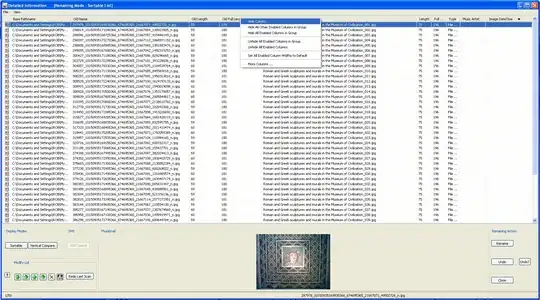
But you may want to hide some of the other columns first:
5) Just the old filename (from Facebook) and new Filename here:
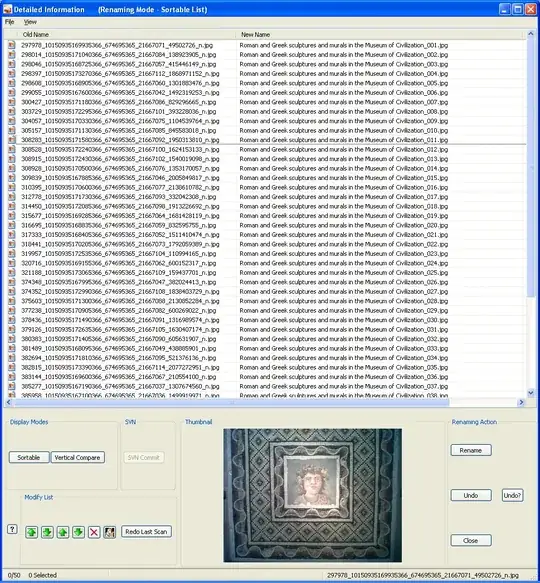
6) In the Pfrank rename preview window select all the files so they are highlighted (do this e.g. by left click on the top then hold down SHIFT and click the last, bottom file to select all). Then CTRL-C the files in PFrank Renamer, CTRL-V into a text editor
7) Click rename in the PFrank renamer window and yes to the bulk rename warning.
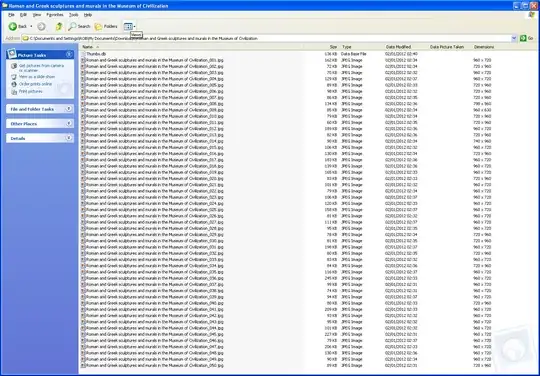
Resultant files:
Another, even better option, is to add facebook app functionality to external site that the photos are intended for. This is possible if the site is Drupal-based (using the http://www.drupalforfacebook.org/ suite of modules ). This could provide automation, and also export the captions.
But in the meantime there is PFrank for the renaming.

