12

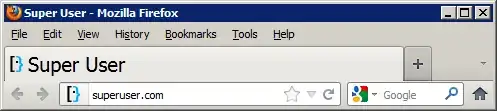
I just can't work near PCs anymore my eyes hurt - I am developer. I use browser a lot. I tried all of them: IE, Safari, FF, Chrome - they all are bad at the most simplest thing - large font size for tabs.

Please don't suggest me changing resolution or change DPI sizes - these are not solutions at all.

I don't care if Chrome loads 14 ms faster than browser X, if I spent 5000 ms trying to determine what the hell that tiny tab is for. I already have -2.00 - and this is stress for my eyes.

Numerous threads on Google, some magic dances in Firefox, didn't find anything for safari. Is it time for Linux already?

Maybe there is some genius guy who wrote plugin to save my vision?

Flyk
  • 1,539
  • 1
  • 21
  • 28
Aubergine
  • 239
  • 1
  • 2
  • 9

1 Answers1

10

You can edit your Firefox profile's userChrome.css or use the Stylish add-on to define the following CSS rule:

#tabbrowser-tabs
{
    font-size: ... !important;
}

Where ... is replaced with a valid font-size value.

Example:

#tabbrowser-tabs
{
    font-size: 20px !important;
}

tabs

Video Demo: http://www.youtube.com/watch?v=BAhzZuhN61E


PS: If you want to also edit the font size of the List all tabs popup menu, the CSS selector is:

#alltabs-popup menuitem

PPS: Once you've increased the size of your tab's text, you can also increase the width of each tab to accommodate:

.tabbrowser-tab:not([pinned]) 
{
    min-width: ... !important;
    max-width: ... !important;
}

Where ... is replaced with a valid min-width or max-width value. Play around with these values to get different effects! Note: Pinned tabs will remain the same size.

Example:

.tabbrowser-tab:not([pinned]) 
{
    min-width: 400px !important;
}

wide tabs

iglvzx
  • 23,459
  • 13
  • 85
  • 122