13

I had installed VMware player on my computer. Later I installed Hyper-V on my computer.

Now, when I try to uninstall VMware player, I get this message:
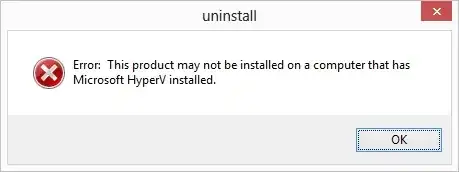
HyperV Error

Can anybody provide a way to remove VMware without removing Hyper-V?
My OS is Windows 8 Enterprise.

amiregelz
  • 8,099
  • 12
  • 48
  • 58
gdbdable
  • 646
  • 7
  • 11
  • 1
    This made my day. Stupid pre-install checks.... If the installation is done via MSI. You can use orca to remove all the checks. – billc.cn Oct 22 '12 at 20:10
  • Do you still have this problem if 5.0.1 is used? There was an update on November 6th. – Ramhound Nov 15 '12 at 18:43

2 Answers2

31

Modify the file

C:\ProgramData\VMware\VMware Player\Uninstaller\bootstrap.lua

or

C:\ProgramData\VMware\VMware Workstation\Uninstaller\bootstrap.lua 

using a text editor and comment out line

CheckForMSHyperV()

with two dashes, so it will become

--CheckForMSHyperV()

Then save the file and rerun the uninstall and it will succeed.

amiregelz
  • 8,099
  • 12
  • 48
  • 58
Yury
  • 326
  • 2
  • 2
0

The easy way to do this simply turn off Hyper-V, and then restart, uninstall VMware, re-add Hyper-V.

If you feel like going hunting in the registry there is probably another way, but this way is easier and safer.

soandos
  • 24,206
  • 28
  • 102
  • 134