3

Possible Duplicate:
How do I get Windows 8 to run 2 Metro apps on each display of an extended display?

I have two monitors and I'd like have Moderm/Metro UI opened in Monitor #2 (as it is at the picture bellow) till I decide to close it (clicking the Desktop app or any other).
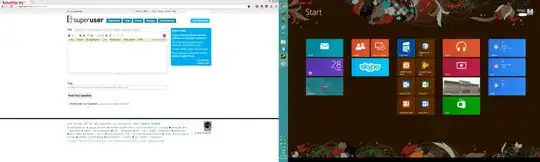
enter image description here

After clicking somewhere in Monitor #1, desktop is shown (picture bellow):
enter image description here

I'm using "Extend these displays" option for Multiple displays.

Thanks in advance.

PS: Task bar belongs to Monitor #1.

peter.o
  • 299
  • 1
  • 5
  • 11
  • I think, this guy wants to run 2 Modern/Metro UI apps, one on each monitor. Basically he needs the same thing - not closing the Modern/Metro UI when interacting with the other screen...And the question responds to the RTM (from August). – peter.o Oct 28 '12 at 21:47

1 Answers1

1

Unfortunately, I'm pretty sure you can't. Metro seems to be only allowed on one monitor and other monitors will default to desktop.

tr4656
  • 512
  • 3
  • 10