4

When I Try to install SQL Server 2008 R2 on Windows 8 (Enterprise Evaluation), a compatibility warning massage is displayed,
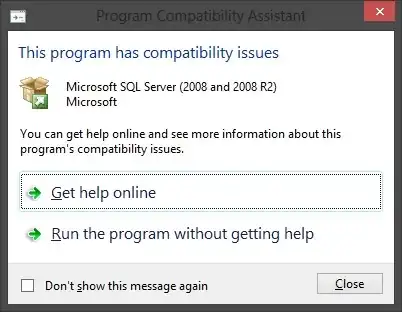
Tried Get help online option but it is says No solution found, but setup starts when I select Run the program without getting help.

Do I have to install any Service Pack or Update to make it compatible or SQL Server 2008/R2 is not supported on this version of windows? and what are the effects if I run the setup ignoring the warning message?

Nalaka526
  • 1,534
  • 8
  • 21
  • 36

3 Answers3

4

According to Install SharePoint 2010 on Windows Server 8 Beta (en-US) on TechNet, you can just click on Run the program without getting help and you should be fine.

Nathan DeWitt
  • 6,087
  • 9
  • 36
  • 41
4

it looks like you need to install the SP1 of Sql Server 2008 R2, here are where to download from Microsoft site: Microsoft® SQL Server® 2008 R2 Service Pack 1.

Select your language and your version (32/64-bit) then, you install first the Management Studio from SQL and then the service pack.

Here is the blog where I found the solution: "Installing SQL Server on Windows 8".

Glorfindel
  • 4,089
  • 8
  • 24
  • 37
1

I had this problem and I solved it. You need .NET framework 3.5(include 2.0 and 3.0) to install the sql server.

So, first you must install or download .NET framework 3.5 in your system

Kunal
  • 1,889
  • 5
  • 23
  • 31