0

When I try to connect my Samsung Galaxy S1 to a computer running Windows 7, the following incomprehensible messages appear:
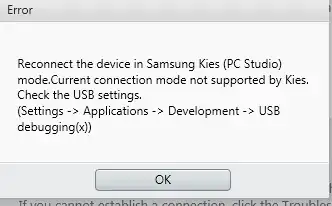
kies error message

Reconnect the device in Samsung Kies (PC Studio) mode.Current connection mode not supported by Kies.
Check the USB settings.
(Settings -> Applications -> Development -> USB debugging(x))

Can you help me? I tried everything.

Hennes
  • 64,768
  • 7
  • 111
  • 168
Niklas Rosencrantz
  • 1,021
  • 9
  • 27
  • 52

3 Answers3

4

In your S1, is USB debugging ON ? ( Settings->Developer Options->USB debugging in case of ICS or Settings->Applications->Development->USB Debugging incase of earlier versions). Try switching it off and then connecting the USB cable.

Karthik
  • 256
  • 1
  • 2
  • 8
  • Thanks, It really helped, I was trying to set USB Debugging checked, why the message doesn't tell anything about UNCHECKING Usb Debugging? – Reza Jun 06 '14 at 13:44
0

download this usb driver from samsung site,its working

http://www.samsung.com/ph/support/model/GT-I8262MBAXTC-downloads#

-2

Your PC needs a driver for Kies to recognize your phone.
Download & install Samsung-Usb-Driver-v1.5.45.0 or newer version.
After installing, open Kies, and your phone should be recognized.

Excellll
  • 12,627
  • 11
  • 51
  • 78
  • This answer is very hard to understand. Can you expand upon it and tidy up the grammar and spelling? – bwDraco Feb 04 '15 at 19:28