0

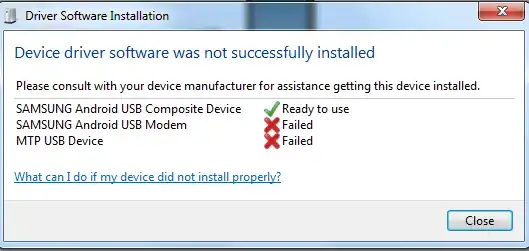
Please help me resolve this endless stupid loop from Samsung Kies.

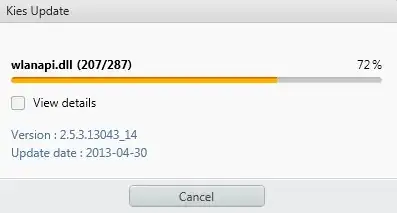
After upgrade (it used to work fine) I get this infinite loop of driver failing to install:
enter image description here

enter image description here

enter image description here

enter image description here

enter image description here

Update 130501 6:30 AM

I now could make it work (intermittently) after fiddling about with the settings and reinstalling it. It works better now but I suspect this error will return. Anyhow I can now copy files to and from the telephone which was my intention, to upgrade its music library which now was doable

Update 130504 8:40 AM

I found the problem reappeared and that I can follow the instructions from this question to reslve my issue:

https://android.stackexchange.com/questions/3246/mtp-usb-device-driver-error-screenshot-when-connecting-my-galaxy-s-to-my-pc

Niklas Rosencrantz
  • 1,021
  • 9
  • 27
  • 52
  • 1
    is that machine your sole use ? i mean would it have others piece of mobile software? seems like that you have run into driver conflict. Try uninstall Kie totally, then start fresh with the latest exe download from samsung website. –  May 01 '13 at 03:14
  • 1
    by the way, Samsung Kie seems to be required to run under Administrator rights. (with UAC elevation) –  May 01 '13 at 03:16

1 Answers1

2

So the final solutions would be :
1. uninstall / re-install completely.
2. run the Samsung Kies with Administrator right (with UAC elevation).

  • More info is here: http://android.stackexchange.com/questions/3246/mtp-usb-device-driver-error-screenshot-when-connecting-my-galaxy-s-to-my-pc Thanks for the answer. – Niklas Rosencrantz May 04 '13 at 06:40