How can I make OSX backward delete one word by pressing cmd+backspace?
Currently it deletes the whole line.
Alt+Backspace works, but I want it to be cmd+backspace, like in Windows.
I tried Spark Shortcut Manager, but it didn't work.
How can I make OSX backward delete one word by pressing cmd+backspace?
Currently it deletes the whole line.
Alt+Backspace works, but I want it to be cmd+backspace, like in Windows.
I tried Spark Shortcut Manager, but it didn't work.


Karabiner is very popular key remapping software for key remapping. In "change Key" > "Change delete key", select "Command+Delete to Option_L+Delete". This will solve your problem. I'm attaching a screenshot also.


The answer to most customization questions for OSX is BetterTouchTool. It's free, and it lets you customize keyboard shortcuts, gestures, window snapping, and more. You can even set per-app settings for shortcuts and gestures (although I haven't personally tested this).
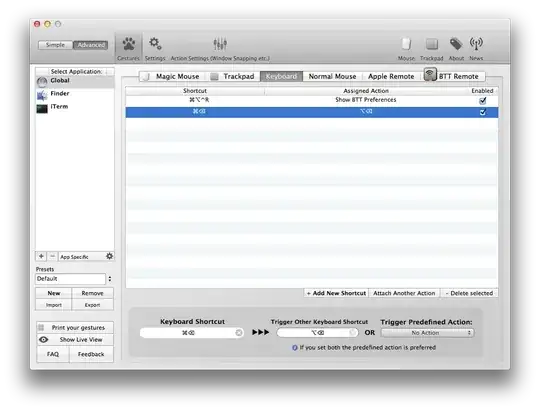
Set cmd+backspace to alt+backspace as in the screenshot above.
