0

If I press CRTL+Down I move to the cell before the empty cell.

If I press CTRL+SHIFT+End I end up selecting everything between the active cell and the next empty cell.

Now if I want to auto fill the same range of cells, what is the keyboard shortcut for that? (Autofill; also known as clicking the handle in the lower right hand corner of the cell and dragging)

leeand00
  • 21,508
  • 43
  • 120
  • 182
  • Because it's to short to be an answer `ctrl+d` Note: you will have to highlight the cells first – 50-3 Oct 07 '13 at 19:56
  • 1
    Note: The answer is already posted [here](http://stackoverflow.com/a/14391773/2097368) – 50-3 Oct 07 '13 at 19:59
  • @50-3 No that isn't it. I just tired it, and when you select and press CTRL+D, it fills in the value of the top cell. That's not what I'm referring to. I'm referring to when you have a sequence for instance ... user01, user02, user03 etc...and you select those cells and then drag to the bottom of the sheet, and each cell increments. I'm looking for a keyboard shortcut for that. – leeand00 Oct 07 '13 at 20:18
  • Oh you double click it and that fills the rest in. :-p Still not a keyboard shortcut though. – leeand00 Oct 07 '13 at 20:20
  • Alt>H>F>I>S and then shift+tab>down>down>down and then enter – 50-3 Oct 07 '13 at 22:43
  • Note: The answer is already posted [here](http://superuser.com/a/653947/85584) – 50-3 Oct 07 '13 at 22:43

1 Answers1

1

There a two different function that can be performed using this part of the GUI

1st

Fill using formula

Starting point:

pre-cdfill

ctrl + D

enter image description here

2nd

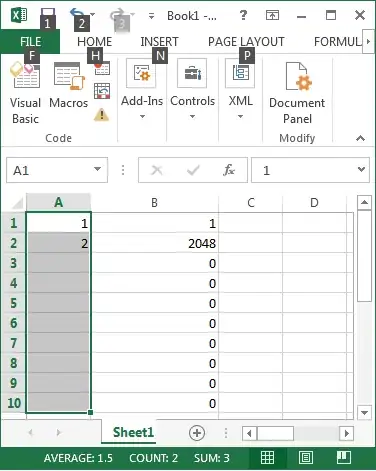
Fill sequence:

Starting point:

enter image description here

Alt>H>F>I>S Then shift+tab>down>down>down>Enter

enter image description here


Personally I see the sequence fill as to cumbersome so below is a quick macro to do the same

Sub dragSeries()
    Selection.DataSeries Rowcol:=xlColumns, Type:=xlAutoFill, Date:=xlDay, _
        Trend:=False
End Sub

Just assign it to say ctrl+shift+D and enjoy

50-3
  • 3,939
  • 4
  • 21
  • 28