1st Solution
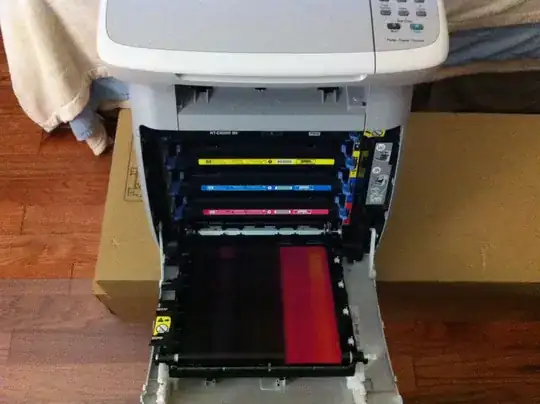
In order to isolate the defect to the formatter or print engine, load plain letter paper in tray 2 and press the "Engine Test" button. There is a small circular hole in the back of the printer, use a tooth pick to depress the button that is on the DC Controller PCB.
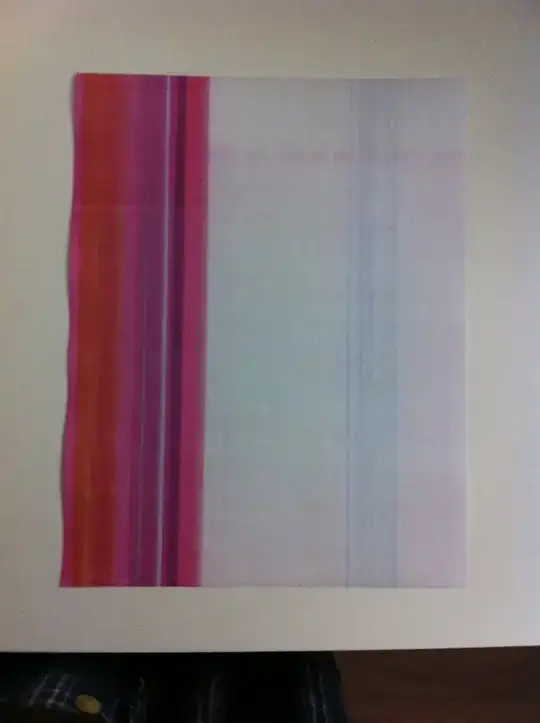
If the page that comes out has magenta toner all over it, then there is a problem with the lower High Voltage Power Supply PCB.
If the page that comes out does not have the magenta toner all over it, then the formatter/ICB connections should be inspected/reseated. There is an FFC between the DCC and ICB that needs to be inspected and reseated.
2nd Solution
the issue was the formatter connection to the dc controller. On your printer there is interconnet board. I would just remove the formatter with the power off and reinsert and see if that helps. The other item is to go into diagnostics menu and choose the item disable cartridge check. Now remove the magenta toner and run sheets again to see if the issue is still present but with a different color. It is possible one of the other color toners is causing the issue and this mode allows you to remove, switch around and do whatever you want with the toners to try and narrow down the issue. Also make sure the user did replace the toner. Can not tell you how many times the user says they replaced when in fact it was never done. Good Luck.
Final Solution
The color toner cartridge needs to be replaced and odds are the issue will be gone.