1

I recently downloaded box and have since used the web interface to upload photos sorted by folders by year, and then sub-folder by month, this worked fine.

box web app folder structure
enter image description here

Clearly I'd like any updates or changes from my pc to be reflected in the box cloud. This is part that I'm unclear on and haven't been able to resolve by reading through the help files

If I right click a folder on the web app (say 2010), then there is an option to sync a folder. It appears this option uses the Box Sync folder on my hard-drive as the syncing location.

My question is whether there is any way to sync box directly to my actual folder locations, rather than me having to move (or copy) my existing folder structures to the box Sync folder?

PC folder structure
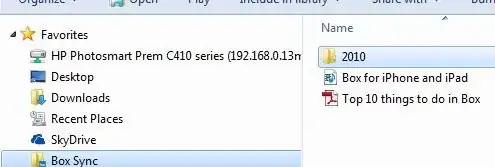
enter image description here

brettdj
  • 2,097
  • 20
  • 23

1 Answers1

0

Nope... All of your synced data must reside in you box sync folder.

You can, however, change the location of your local sync folder

brettdj
  • 2,097
  • 20
  • 23
Brian Adkins
  • 1,931
  • 1
  • 15
  • 16
  • Thanks. I was aware the folder location could be changed. I'm surprised the instructions are somewhat vague as to how the web upload and box sync folder are intended to work. I've ended up duplicating folders via uploading via the web app, and then having then synced back to the local box sync folder. – brettdj Feb 01 '14 at 22:20
  • I will accept this as the answer if no-one else provides further info that adds any further clarity. – brettdj Feb 01 '14 at 22:22
  • Also, make you've upgraded to box sync v 4.0 since it's a huge improvement over 3.x – Brian Adkins Feb 02 '14 at 00:11