2

Is there a way to have one window display more than one terminal at once? (Not in the typical tabbed configuration, more like a grid of arbitrary number of terminal screens)

Ideally I'd like to have a 3 column by 2 row window with 6 terminal instances in the one window.

An application with this as a feature is preferable.

Duane
  • 175
  • 1
  • 2
  • 4
  • check out this question as well: http://superuser.com/questions/55459/how-to-get-vertical-split-of-terminal-in-mac-to-execute-different-actions/55464#55464 – John T Nov 16 '09 at 05:09

3 Answers3

2

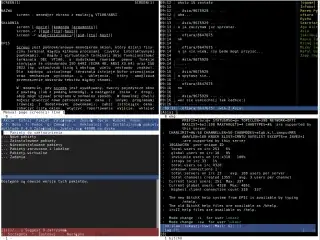
GNU Screen for Mac can do this:

alt text

Gaff
  • 18,569
  • 15
  • 57
  • 68
John T
  • 163,373
  • 27
  • 341
  • 348
1

Use a tiling window manager with multiple terminals to arrange them quickly and easily in any such configuration. Use a workspaces feature that is in almost all linux window managers to switch between that layout and other window layouts (like regular maximized apps). I prefer xmonad. Another nice feature of a tiling window manager is that you can remove the titlebars from those 6 windows to remove wasted space.

Ian Kelling
  • 945
  • 2
  • 8
  • 15
0

There is Terminator which comes as a Debian package.
Maybe you can get it working on your Mac (use the source).

quack quixote
  • 42,186
  • 14
  • 105
  • 129
nik
  • 55,788
  • 10
  • 98
  • 140