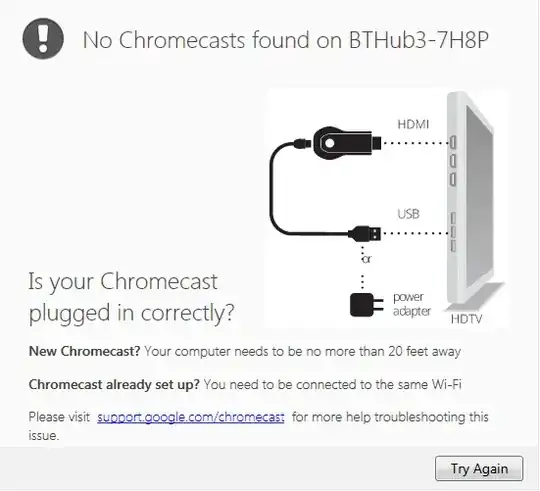
Chromecasts are apparently discovered by the DIAL protocol, which builds on UPnP, which often does discovery by sending out UDP multicasts with HTTP-like syntax inside.
Doing multicast on Wi-Fi networks is tricky, and vendors get it wrong all the time. Here are some of the top ways it can go wrong, with suggestions for how to test or fix each:
Multicast rate is set to high. Some Wi-Fi APs (Access Points; "wireless router" in layman's terms) let you set the multicast rate (sometimes on an "advanced wireless options" screen). For the sake of troubleshooting this, if you can set it, please set it as low as you can. None that if you have, say, a 2.4GHz B/G/N AP, but you have it in N-only mode, you probably can't set the multicast rate as low as it can go unless you re-enable the B/G rates. So make sure it's in B/G/N mode, and set the multicast rate down to 1Mbps if it'll let you.
Group cipher and group key problems with WPA2 and WPA. Multicasts have to be encrypted with a different key, and sometimes with a completely different cipher (encryption algorithm) depending on how you have WPA2 or WPA set. For now, just temporarily while troubleshooting, disable all wireless security on your network, to eliminate this possibility.
"Wireless client isolation", or "AP isolation", like your Chromecast app suggested. Some APs have a feature that tries to keep wireless devices from being able to talk to each other directly. Disable that.
Broken bridging between interfaces on the AP. Some APs don't do a great job of bridging from LAN to WLAN, or from 2.4GHz WLAN to 5GHz WLAN, etc. If your BT Hub 3 is a simultaneous dual-band AP, make sure to have your laptop join in the same band (2.4 vs. 5GHz) as your Chromecast is joining. Relaying packets between wireless clients is often done in the Wi-Fi radio chipset itself (or its driver), without going through the AP's host OS's bridging code. So if it's your AP's bridging code that's broken, this will hopefully get around it.
Broken IGMP Snooping. Since multicasts are a pain on wireless networks, you want to keep any unneeded multicasts off of the wireless. To help do that, some APs do "IGMP Snooping" which lets them see when a client tries to subscribe to, say, a multicast video stream. If the AP sees a client subscribe to a stream via the IGMP protocol, the AP will start forwarding that stream to wireless. But if it doesn't ever see a client ask for a given multicast stream, the AP won't send it to wireless. However, the kind of multicasts that discovery protocols like DIAL/UPnP and Bonjour (mDNS/DNS-SD) use, are NOT the kind that IGMP is supposed to apply to, so a well-written IGMP Snooping implementation will always allow those packets to get through on wireless, because you can't really expect to see anyone issue IGMP requests for them. But if your BT Hub 3 has a broken IGMP Snooping implementation, it might be screwing up. You could go looking for a checkbox (er, "tickbox" in BrE) to turn IGMP Snooping on and off, and whichever way it's set, toggle it so it's set the other way. Maybe it's less broken when it's on than when it's off. Or vice-versa.
802.11 power save mode multicast queueing and delivery. When any wireless clients use 802.11 power save mode (which they all do nowadays), they turn off their Wi-Fi radios for short periods of time to save power. The AP has to do special work to make sure that multicast packets are queued up and delivered at times when all of the clients that care about multicasts have their Wi-Fi receivers turned on to receive them. I have no idea if Chromecast uses 802.11 power save mode (it probably does) or if it gives you a way to disable it (it probably doesn't). If this were a Windows laptop, you can usually go into the advanced driver properties window for your Wi-Fi card and disable power save mode. You can't disable power save mode on the AP, because it's mandatory for APs to support it.
Personal firewall software on the client devices. If any of the communication from the Chromecast back to your Win7 laptop is done via multicast to a certain UDP port, and that port is filtered by your personal firewall software, it won't get through to your Chromecast setup app.
I recommend that you try all of the above suggestions all at once, and see if it makes a difference. If not, put everything back and complain to BT and Google. But if it does make a difference, then start doing a process-of-elimination to see which change or set of changes made the difference.