0

We have a Windows 7 workstation running Office 2013 that receives the following error when using Office files from a network share.

Excel cannot complete this task with available resources. Choose less data or close other applications. Continue without Undo?
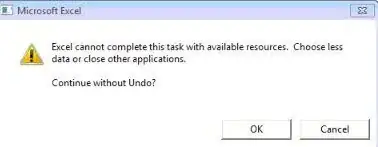
enter image description here

MS Office has been uninstalled / re-installed.

I have followed this microsoft KB:

  • All latest Updates have been installed.
  • Preview/Details pane has been disabled.
  • The PC has 8 GB of memory.

Below is a screenshot of PowerPoint. While working on files the ribbon loses its buttons.

PowerPoint lost ribbon buttons

Ash
  • 215
  • 1
  • 4
  • 14
  • 1
    What are you trying to do when you get this error message? If it's a small operation, then it's probably a corrupted file. Is it just one file or many? Have you tried copying them locally to see if it is to do with running off the network (I suspect not). Have you tried safe mode? Have you tried copying the data (not the worksheets, but the data) to a new file? – Rhys Gibson May 12 '14 at 02:23
  • 1
    Are you using Windows 7 32 or 64 bit? How many other programs are running at the same point? Open Task Manager, keep an eye on the resource usages (CPU and RAM), try to use Excel and see if it max's out or not – Dave May 12 '14 at 08:22
  • 64-bit Windows 7. Resource usage is low. I am having the end user test using the troublesome files by opening them directly from her C: drive instead of the SMB share. – Ash May 14 '14 at 01:02
  • Well the end user has done more testing. There are issues with multiple Office files when working on them from the C:\ drive. I have updated the question with a screenshot of PowerPoint. – Ash May 21 '14 at 00:00

0 Answers0