I have a folder containing 120GB worth of files generated by S.E.P. (Symantec Endpoint Protection), and after some searching I found this Symantec KB article supposedly answering a similar issue. It suggests turning off S.E.P., then deleting the folder; my system administrator removed S.E.P., and we still could not delete this folder.
Every time we try to remove the folder's contents, even if running in safe mode, we get this error message:
Error 0x800710FE: This file is currently not available for use on this computer.
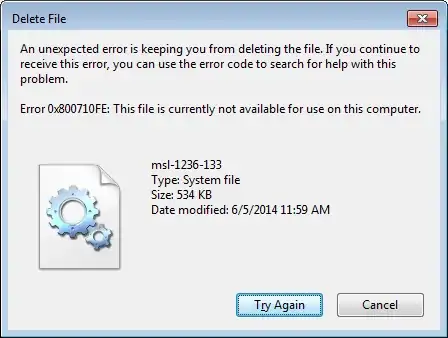
The folder is located at:
C:\ProgramData\Symantec\Symantec Endpoint Protection\...\Data\DecTemp\I2_LDVP.TMP
I don't have offline files turned on however the files look like this:
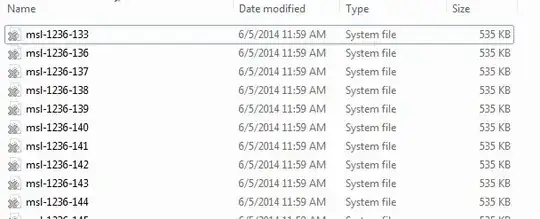
These files take up 120GB of my hard drive, which is about half of it.
Summary Of What We've Tried:
- We made sure that we have permissions to delete these files.
- We made sure that we don't have offline files or anything.
- We performed a
chkdsk /f, and it found no issues. - We removed S.E.P..
- We tried removing these files while running in safe mode.
- We tried the DeleteDatabase (clear offline file cache) registry tricks, but it didn't work. We discovered that this method requires enabling offline files, but enabling offline files and putting this flag caused a B.S.O.D. (Blue Screen Of Death).
Is marking these files as offline files perhaps a trick Symantec is using to prevent anyone from touching them? Is there anyway to remove these files without re-formatting the hard drive?

