1

The fonts from Facebook in Chrome (only Chrome) are not displayed correctly. This happens on only two computers on my home network.

All computers have Chrome 37.0.2062.103 m.

I have Windows 8 and the fonts are ok enter image description here
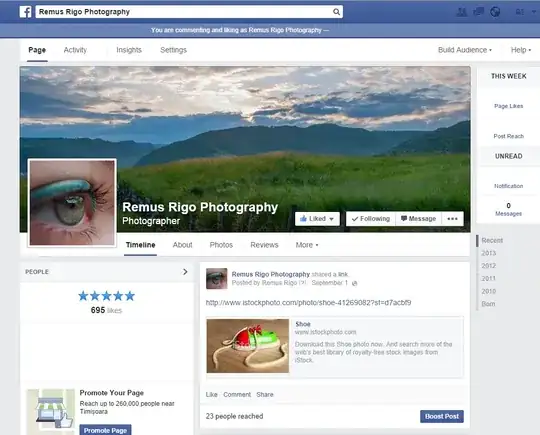
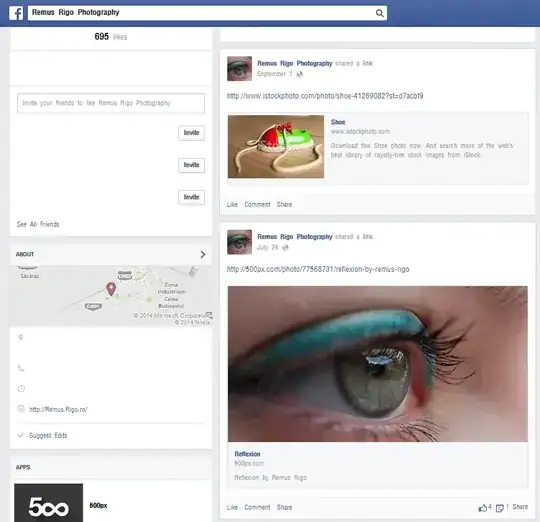
The other two computers have Windows 7 and they look like this enter image description here
What I have done so far:

  • read the other questions :)
  • uninstall chrome and deleted all the files related to chrome
  • reinstalled chrome
  • Control Panel -> Fonts -> Font Settings -> Restore Default Font Settings
Remus Rigo
  • 2,927
  • 8
  • 48
  • 62
  • The obvious solution is to disable `DirectWrite`. As for the reason thats simple the systems have different hardware. I also don't notice a huge difference myself. – Ramhound Sep 05 '14 at 18:46
  • that explains how to disable it, this is how to fix a problem that it does. there are more questions that are solved by this fix – Remus Rigo Sep 05 '14 at 19:22
  • @RemusRigo The purpose of closing duplicates is not so much to show that the questions are identical, but rather to point searchers to an answer. Duplicate questions create "keywords" that allow others to search for various different things to arrive at the question they were searching for. – gparyani Sep 05 '14 at 21:33

1 Answers1

4

I highly suspect that this is a hardware conflict with DirectWrite which was introduce in Chrome version 37. I would try and disable DirectWrite to see if that makes any difference.

I have provided Pankaj's answer below as a reference

In order to disable DirectWrite.

Go to address bar and type chrome://flags/#disable-direct-write. There you will see the option to disable DirectWrite.

enter image description here

Ramhound
  • 41,734
  • 35
  • 103
  • 130