0

The image link describing the bug / ill-feature is here:
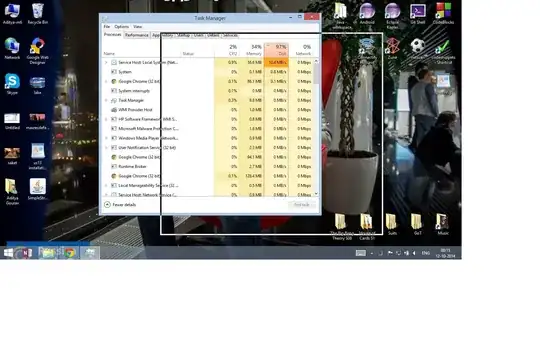
enter image description here

My PC and Windows are working fine, however for the past few days I'm getting an annoying window drag over any window.

My OS is: Windows 8.1 Pro

Whenever I drag any open window, only the borderline with a black color is seen as dragged and not the whole window.

I tried refreshing the PC but it encounters some problem, and I don't have a system restore point right now in my system.

Please suggest how to remove this annoying window drag feature.

DavidPostill
  • 153,128
  • 77
  • 353
  • 394
  • possible duplicate of [How do you turn on and off window repaint while drag moving/re-sizing window in Windows 7?](http://superuser.com/questions/175448/how-do-you-turn-on-and-off-window-repaint-while-drag-moving-re-sizing-window-in), [How to show window contents while dragging in Windows Server 2008 R2?](http://superuser.com/questions/41846/how-to-show-window-contents-while-dragging-in-windows-server-2008-r2?rq=1), [Windows 8.1: Allow Real-Time Resizing](http://superuser.com/questions/791644/windows-8-1-allow-real-time-resizing?lq=1) – Ƭᴇcʜιᴇ007 Oct 11 '14 at 23:12

1 Answers1

1

Run SystemPropertiesPerformance and select “Show window content while dragging” there.

kinokijuf
  • 8,175
  • 9
  • 54
  • 97