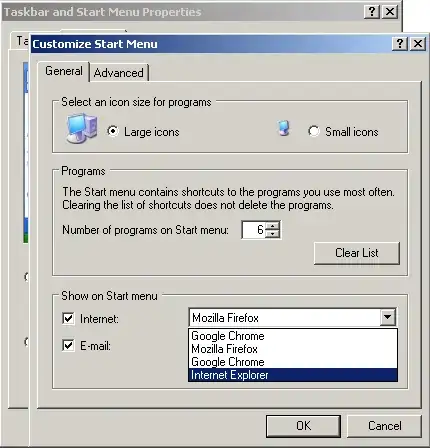
You could make a shortcut from C:\Program Files\Internet Explorer\iexplore.exe, however if you're referring to the default Internet shortcut at the top of the default start menu ( not the classic start menu ), there is an easier way to restore that.
By default start menu I mean this one (disregard the classic theme):
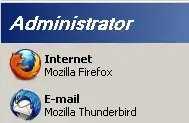
As you can see, there is the default browser and default email client at the top. Internet Explorer will be in place of Firefox for you.
- Right click the taskbar and select Properties
- Go to the Start Menu tab and click Customize (for the regular start menu, not classic)
- At the bottom under show on start menu check the internet checkbox and select Internet Explorer as the browser: