0

I have recently installed the drivers from the disc, but i'm unable to scan with IrfanView. I did some screenshots of the problem:
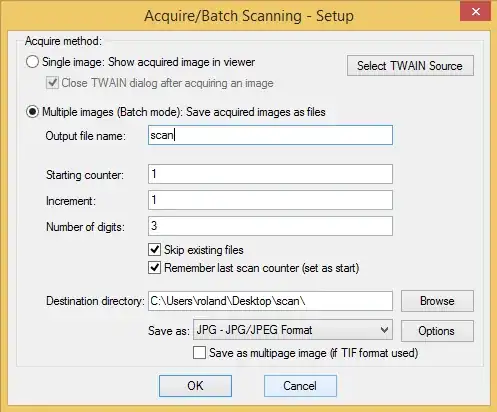
enter image description here

enter image description here

enter image description here

How could I solve the problem?

  • Windows 8.1 x64
  • SAMSUNG Xpress M2070
  • IrfanView 4.3.8
pcroland
  • 1
  • 4
  • Use any other scanning software (something that came with the scanner, a photocopy utility, your word processor may have a scanned input option, etc.), and see if that works. Also, try selecting the WIA entry in the next to last screen. Try the single image option in the first screen. Test that the printer photocopy function works. – fixer1234 Jul 18 '15 at 17:26
  • Samsung's software is not suitable for scanning books. I have to click a lot and manually name files for every page... IrfanView would be great :-( Could you recommend something in place of IrfanView? – pcroland Jul 19 '15 at 01:00
  • This is all just diagnostic to determine where the problem lies. Irfanview is great. – fixer1234 Jul 19 '15 at 02:52

1 Answers1

0

I was able to use IrfanView finally. I just didn't select any of the TWAIN sources and now it works.

pcroland
  • 1
  • 4