0

I used the HD2VHD (from Sys Internals) wit the HAL (Hardware Abstraction Layer) enabled.

However, when I try to run it, the Virtual PC guest doesn't have internet access.

Any ideas?

Clay Nichols
  • 5,264
  • 28
  • 82
  • 103

1 Answers1

2

Go into network settings and change the adapter to your network adapter, in case it's set on local only networking:
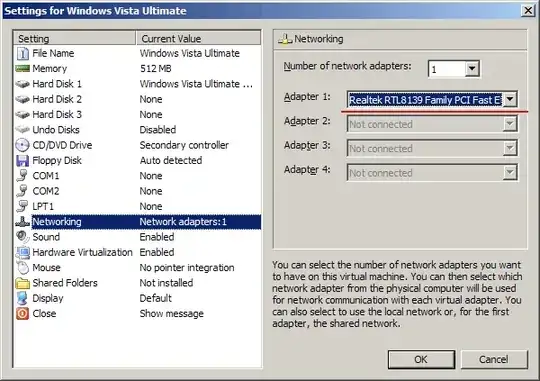
alt text

Now try to access the Internet.

Gaff
  • 18,569
  • 15
  • 57
  • 68
John T
  • 163,373
  • 27
  • 341
  • 348
  • Good idea, unfortunately (forgot to mention) I tried that already (tried using the actual adapter and also the Shared Networking) both failed to provide inet access. – Clay Nichols Jan 21 '10 at 04:48
  • What message are you getting when you try to access websites using ping for example? – John T Jan 21 '10 at 04:53
  • I can't get to that point because Windows boots up (this was converted from a HD to VHD using HD2VHD) and says it needs to activate, but then it can't access the internet and only option is to log off. I ended up just punting on this (not critical to have this VHD running since I have the old computer available for a while). So I'm just voting this as the answer since for *most* people it'll solve the prob (has done that or me in the past). – Clay Nichols Jan 22 '10 at 05:59