3

So I've get the official Kubuntu 12.04 CD. I've installed it on a netbook. It have installed a netbook edition (without asking me...). So that I see
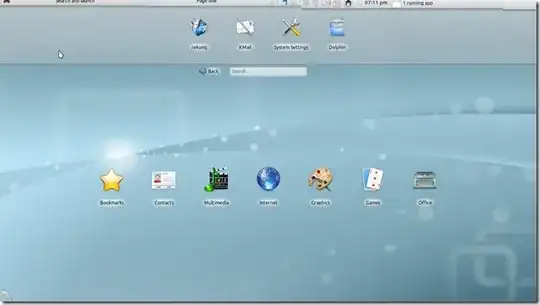
enter image description here

while I would really prefer the standard plasma:

enter image description here

I seem to have kubuntu-desktop package installed. How do I switch the plasma to the desktop one?

fossfreedom
  • 171,546
  • 47
  • 376
  • 404
Adobe
  • 3,791
  • 4
  • 28
  • 46

1 Answers1

5

Follow these steps:

  • Open system settings

enter image description here

  • In system settings click on "Workspace Behavior"

enter image description here

  • In Workspace Settings click on "Workspace" in sidebar. Select your Workspace type from drop down menu and click save to apply changes.

enter image description here

Now just wait for the magic to happen!

Basharat Sialvi
  • 23,936
  • 8
  • 61
  • 82
  • after that procedure the window buttons (close, minimize, maximize) are messed up. This is frustrating. – c0de Jun 06 '12 at 13:28