Summarizing from comments
The two computers are connected to the Internet by mobile (cell phone) data network. I will refer to the cell data service provider as the "Internet Service Provider" or ISP. There are two issues:
- The ISP is providing the NAT (Network Address Translation) service
such that the computer has an internal IP address and an external IP
address with no apparent way to forward the ports of the external IP
address to the internal IP address.
- The ISP is also blocks all the useful ports of the external IP
address.
I have no knowledge of the specific ISP in question. However, generally ISPs take these actions to prevent mobile data connections to be used to connect servers and for the security of the customers. Sometimes ISPs prohibit the use of mobile data for servers in their service agreements.
Under these circumstances, specifically if the ISP service agreement prohibit the use of mobile data for servers, the ISP is unlikely to open the ports needed to connect the two computers and forward the specific ports from the external IP address to the internal IP address.
Your connections will work If the ISP:
(a) opens the ports
(b) and do either of the two following:
- forwards the open ports from the external IP to the NATed internal
IP, or
- provides you with a real IP, not a NATed one (See the quote from
superuser below)
Without these from the ISP it is impossible to use the native solution to remotely connect from computer B to computer A.
About conversion from NATed setup to real static IP setup from Superuser:
The problem lies on what address you are given, most of the time it's
already a NATed IP. However, many carriers can switch you to a real
"external" IP - which is generally used for VPN because sometimes NAT
can interfere with VPN (assuming you can get past the CSRs). However,
even though this would be a publicly addressable IP - I imagine that
they would still put in restrictions/firewall to prevent you from
doing exactly what you are trying to do.
If the ISP is agreeable to opening and forwarding ports, the I recommend using VNC over ssh tunnel for the following reasons:
- VNC over ssh will require opening (and forwarding) of port 22 only (or some other port set by the user).
- VNC over ssh is a more secure method where the data transmitted over
the mobile system is encrypted.
- ssh can be set up to use public/private keys instead of passwords,
which is much more difficult for hackers to crack.
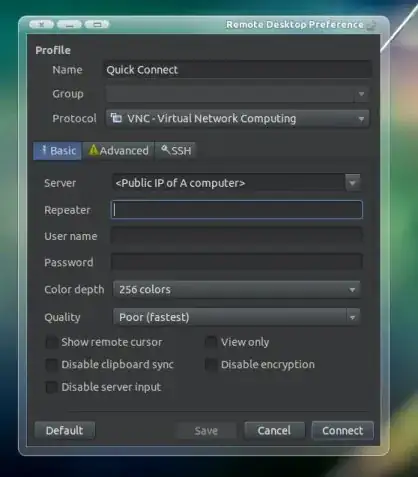
To try this in Remmina, go to the ssh tab and check the two checkboxes, (a) use ssh, and (b) use tunnel. You may have to install ssh in both the computers.
However, this solution is not available without port forwarding in NATed IP setup or a setup with direct access to the external IP.
Hope this helps.