0

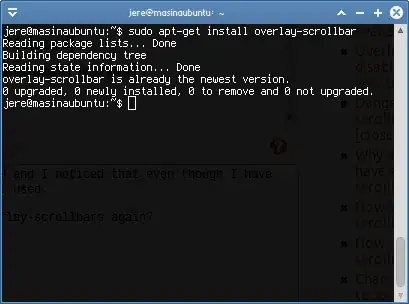
I just did a release upgrade from Ubuntu 12.04 to 12.10 and I noticed that even though I have the overlay-scrollbar package installed, it is not used. I have tried purging and reinstalling the package, but nothing has changed even after reboot (see screenshot).

What can I try to do to get the overlay-scrollbars working again?

overlay-scrollbar is installed

jeremija
  • 3,278
  • 25
  • 28
  • Which theme are you using? –  Nov 04 '12 at 15:42
  • Bluebird, however it's the same with any other theme that I've tried. – jeremija Nov 04 '12 at 16:07
  • If I'm not mistaken, Bluebird has been replaced by Greybird. If you go into /usr/share/themes/theme_name/gtk-3.0/gtk.css or /usr/share/themes/theme_name/gtk-2.0/gtkrc and search for overlay, do you see a section on overlay scrollbars? –  Nov 04 '12 at 16:29
  • It's true that it has been replaced by Greybird, but I have used the very same theme on Xubuntu 12.04 (from git repository, which means that it hasn't been updated during this update) and the overlay scrollbars worked. I can't get any theme to show the overlay scrollbars in 12.10 so I don't think that this is theme-related. – jeremija Nov 04 '12 at 17:30
  • See if these links help: [htorque](http://askubuntu.com/a/35234/25656) suggests that you need `liboverlay-scrollbar-0.1-0` though the version number may be different now; [Erigami](http://askubuntu.com/a/177160/25656) suggests editing `gsettings`. –  Nov 04 '12 at 18:04
  • Thanks, but in my dconf-editor I have `org.gnome.desktop.interface ubuntu-overlay-scrollbars` set to `true` and `org.gnome.desktop.interface ubuntu-overlay-scrollbars` is set to `overlay-auto`. It makes no difference if I switch it to `overlay-pointer`, `overlay-touch` or `normal`. The packages `liboverlay-scrollbar-0.2-0` and `liboverlay-scrollbar3-0.2-0` are not available because they have been replaced with `overlay-scrollbar-gtk2` and `overlay-scrollbar-gtk3` and these are the ones I have installed. – jeremija Nov 04 '12 at 22:07
  • Maybe you could ask here: https://lists.ubuntu.com/mailman/listinfo/xubuntu-users –  Nov 05 '12 at 05:23
  • vasa1, thank you, but I have figured out the answer - see my post below... – jeremija Nov 05 '12 at 19:27

1 Answers1

0

It seems that the main reason why overlay scrollbars didn't work is because I have configured my system to boot to console first. I then use a custom .xinitrc script to start xfce:

#!/bin/sh

case "$1" in
    xfce4) 
        xscreensaver -no-splash &
        exec ck-launch-session xfce4-session
        ;;
    awesome) 
        exec awesome
        ;;
esac

For some reason, when I used the command xinit xfce4 under Xubuntu 12.04 and previous versions, the overlay scrollbars appeared. However, it seems that 12.10 doesn't load this GTK module, so I had to manually execute this line declare -x GTK_MODULES="overlay-scrollbar". I ended up adding it to my .bashrc file so that I don't have to type it every time.

I got this idea from the /etc/X11/Xsession.d/81overlay-scrollbar file which says:

# This file is sourced by Xsession(5), not executed.

if [ -z "$GTK_MODULES" ] ; then
    GTK_MODULES="overlay-scrollbar"
else
    GTK_MODULES="$GTK_MODULES:overlay-scrollbar"
fi

so I guess that this file used to be executed on each start of the X windows syst, but now it isn't used because the GTK_MODULES variable wasn't set after start.
jeremija
  • 3,278
  • 25
  • 28