I really love how Evince works but this little thing is annoying me so much. When I select a title or a subtitle from the table of contents it shifts the zoom. On windows it was just easy as pie with Foxit but its Linux version really needs time.
Asked
Active
Viewed 1.3k times
50


-
"When i select a title or a subtitle from the content menu it shifts the zoom". Can you clarify this? If you mean to say that the zoom level changes when choosing a different entry in the table of contents, that works perfectly fine for me. What exactly happens when you choose an entry? – Glutanimate Nov 07 '12 at 00:45
-
2yes i always want it to be set "fit page width" but when i select a title it changes that something like "%75" and i have to re-set it to "fit page width" everytime.Save the current option did not works so far. – c.k. Dec 04 '12 at 09:10
-
2Yes yes thanks for asking this, just what I needed – Miguelgraz Oct 06 '17 at 10:14
-
gsettings set org.gnome.Evince.Default sizing-mode 'fit-page' – The Demz Nov 29 '17 at 03:46
5 Answers
47
this should work.
open up a terminal and type:
gsettings set org.gnome.Evince allow-links-change-zoom false

muru
- 193,181
- 53
- 473
- 722

user400893
- 471
- 4
- 2
-
-
5Thanks, this helped a lot! There is no way to set this behavior through the Evince UI. You can save the default settings, but clicking a bookmark link upsets the same, unless you set this from `gsettings`. – Prahlad Yeri Jun 04 '16 at 14:06
-
3
-
that command worked for me on Fedora 32 workstation, thanks pal. "Document Viewer" (Evince) 3.36.7 – christianbueno.1 Jul 26 '20 at 14:57
-
Worked for me in Pop OS 20.04. Super frustrating problem and this is the only fix I've found that works. Thanks! – Matt West Oct 01 '20 at 11:17
-
-
12
To set the default zoom, you can either set it in the program and then go to edit > 'save current settings as default' or select your value and run
gsettings set org.gnome.Evince.Default zoom 1.75
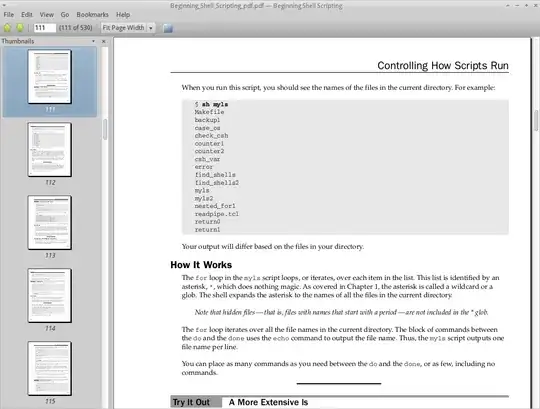
However, i think what you are really referring to is when, say you have a big zoom level of 175% and you have the sidebar enabled and continuous mode enabled, scrolling to the next page upsets the zoom. This makes the page go off centre and you have to adjust it manually each time, as the first screenshot below shows.
To change this behaviour, the only real fix is to select the 'fit page width' option by going to view > 'fit page width'. Then go to edit > 'save current settings as default'. This will eliminate the issue, as the second screenshot shows, although the zoom level will drop a bit as you can't set a zoom level and have the 'fit page width' option enabled.

-
1The problem is i know about the feature "save the current settings as default" but when I select a title crom context it just changes the zoom again. – c.k. Nov 08 '12 at 01:50
-
1
-
4I with with the OP. 'fit page width' + 'set current settings as default' does not resolve the issue. I've tried this combo at least a dozen times, the zoom level is still resetting whenever evince launches, and then (more annoyingly) every time a page is selected from the sidebar/table of contents. – justin cress Jul 04 '14 at 17:21
-
1
-
1
-
@paulodiovani Thanks, this work for me. Can't believe this bug has been around for likie 10 years now. – Asme Just Jul 30 '16 at 22:12
3
Simple run $dconf-editor then org/gnome/evince or search via Ctrl+F after opening the editor.
Then change the default settings default/continuous/zoom etc.


-
Thanks for suggestion on using dconf. On Ubuntu 18.04, set `allow-link-change-zoom` to Off helps me avoid this zoom-changing issue. – bizi Sep 14 '19 at 20:25
2
This issue seems to be related to dconf and Evince apparmor settings. A possible solution is buried at this link:
https://bugs.launchpad.net/ubuntu/+source/evince/+bug/682492
tl;dr
First, install dconf-tools:
apt-get install dconf-toolsThen reconfigure apparmor:
sudo dpkg-reconfigure apparmorConfiguration will ask for the path to your home folder. Which is generally:
/home
This helped me.

shahin1978
- 21
- 3
0
The maximal zoom is constrained by page cache size so by setting higher value you should be able to get higher zoom:
gsettings set org.gnome.Evince page-cache-size 300
Worked for me.

RedaMakhchan
- 101
- 2