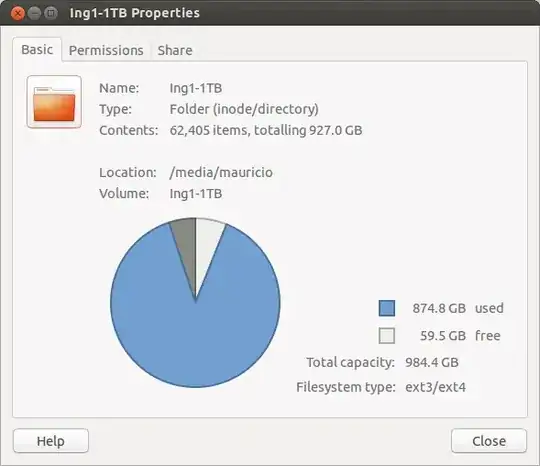
I am wondering about the pie chart in the properties basic tab. I can see blue is used space and white free space but what does the gray part mean. I have been searching with no luck. Thanks in advanced!
I am wondering about the pie chart in the properties basic tab. I can see blue is used space and white free space but what does the gray part mean. I have been searching with no luck. Thanks in advanced!

By default the file system reserves 5% for the root user, which is what you're seeing in gray. You can change this using tune2fs. For example, to change the reserved space to 1% you would use:
sudo tune2fs -m 1 /dev/sdb1
where /dev/sdb1 is the location of your drive.
I have tested this successfully on Ubuntu 13.10

