5

VLC was working fine until this happened: The menu bar is no more visible. I don't remember making any configuration changes, though I have tried to revert them, if any with the help of this question:

Attaching a screenshot of the problem I am talking about: vlc error
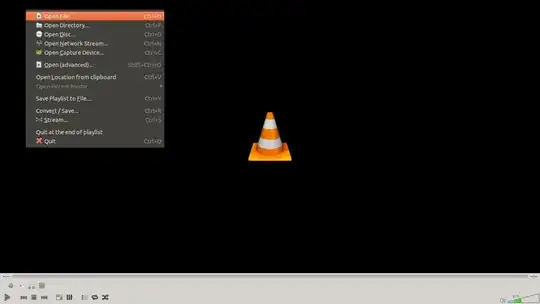
The menu bar is visible from all other applications I use regularly. Also, I am able to access the menu options using Alt + M/H/A/V, but this is very inconvenient.

How do I make it visible again?

Specifications:

  • Ubuntu 12.10
  • VLC media player 2.0.8 Twoflower
jobin
  • 27,142
  • 16
  • 100
  • 116

2 Answers2

5

Couldn't find a clean way of resolving this, so did a complete reinstallation of vlc, based on user2325513's comment as follows:

sudo apt-get purge vlc

Searched for files containing "vlc" in their name using

find / -name vlc

Deleted all configuration files found using this as

rm -r ~/.config/vlc
rm -r ~/.cache/vlc

Installed vlc using apt

sudo apt-get install vlc

Found that vlc had its menu bar back!

jobin
  • 27,142
  • 16
  • 100
  • 116
2

Just remove VLC's .cache and .config file, using these commands in a terminal window:

rm -r ~/.config/vlc
rm -r ~/.cache/vlc
v2r
  • 9,367
  • 11
  • 49
  • 52
Rahul K Jha
  • 1,018
  • 1
  • 11
  • 18