1

With the application famously known as shutter, one can take screenshot of about every GUI element: like windows, hidden windows, menus, cursor tip etc.

The only thing shutter can't take screenshot of is itself.

Using the default screenshot app, we can take screenshot of shutter.But I need to take screenshot of a shutter's menu, which is not possible(as it seems to me) by either using shutter or screenshot.

So is there a way I can achieve this?

Registered User
  • 9,521
  • 14
  • 53
  • 85

1 Answers1

1

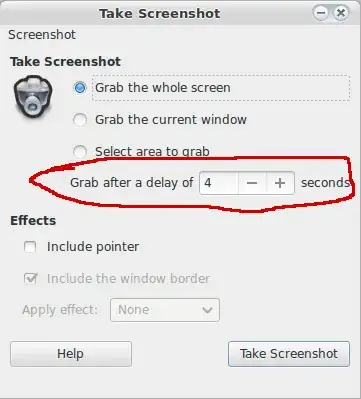
Just use the default screenshot tool, (gnome-screenshot in Gnome, no idea in Unity) and give it a delay of say, 5 seconds. Then navigate to your desired menu and wait, the screenshot will show the chosen menu.

enter image description here

That then allows you to take pictures like:

enter image description here

It's the same idea as a regular camera. To take a picture of your camera, you need to use another camera.

terdon
  • 98,183
  • 15
  • 197
  • 293