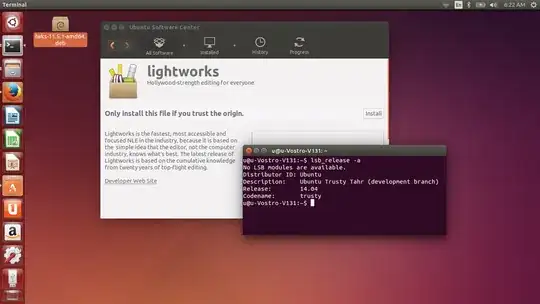
I was trying to install Lightworks 11.5.1 (amd64) on Ubuntu 14.04(amd64) but there's a notice: Dependency is not satisfiable: libtiff4. Is there anyway to solve this dependency issue? Thanks in advance.
Asked
Active
Viewed 2.8k times
2 Answers
19
Lightworks 11.5.1 is only compatible with Ubuntu 13.10, see the following specs:
http://www.lwks.com/index.php?option=com_content&view=article&id=118&tmpl=component
14.04 provides libtiff5 but not libtiff4 (up to saucy 13.10).
To install the 13.10 amd64 version, go to the download page and select libtiff4_3.9.7-2ubuntu1_amd64.deb.
Now open a Terminal with Ctrl+Alt+t and type in the folder where you downloaded the deb file:
sudo dpkg -i ./libtiff4_3.9.7-2ubuntu1_amd64.deb
Then try again to open lwks-11.5.1-amd64.deb with the Software Center to continue the installation.

Sylvain Pineau
- 61,564
- 18
- 149
- 183
-
I've updated my answer with a way to install libtiff4 – Sylvain Pineau Apr 18 '14 at 10:26
-
Couldn't find the old libtiff4 download now, looks like it is no longer there. – matanster May 16 '15 at 14:22
-
1@matt I've updated the download link (to use http://old-releases.ubuntu.com instead) – Sylvain Pineau May 16 '15 at 15:28
-
Gee thanks :) Is this workaround really safe? I guess this will overwrite libtiff5's files right? – matanster May 16 '15 at 15:38
-
1@matt Both are co-installable, libtiff5 will install `/usr/lib/x86_64-linux-gnu/libtiff.so.5` and libtiff4 `/usr/lib/x86_64-linux-gnu/libtiff.so.4` – Sylvain Pineau May 16 '15 at 15:54
-
Works like a charm! – matanster May 16 '15 at 16:00
3
Per this sticky on the Lightworks forum, this bug has been fixed in the latest beta release 11.5.2a, which you can download from the downloads page.

For more information see the changelog.
If you prefer to use the stable version Sylvain's answer works.


-
I seem to be unable to download the beta version. All I get when I click on the provided link is a form to sign up for their website. The links for stable versions work fine though – byf-ferdy Jun 02 '14 at 15:59
-
@byf-ferdy It looks like you're right, you do have to sign in. However, since you need to do that anyway, before using the application I guess it doesn't matter much. – Seth Jun 04 '14 at 01:51