1

-- UPDATE 1: relevant syslog lines.

-- UPDATE 2: a step further. I was able to solve the GSM modem enable failed: (32) SIM PIN required loop specifying the PIN in Network manager > Edit connections... > Mobile broadband > Edit > Mobile broadband > PIN.

Original question

I'm facing a pretty annoying issue with a multimode GPRS/EDGE/UMTS/HSDPA USB internet key I use for internet access, product ONDA WCDMA Technologies MSM. OS is Ubuntu Natty 11.04 64-bit.

The application asking me to enter the PIN starts only after some minutes the key is plugged in; time varies from immediately to 5 minutes and more. I try to trigger the recognition killing Network Manager applet nm-applet and restarting it, but I'm not sure it helps. I also see there is an utility called /usr/bin/modem-manager but I'm not able to run it (provided it could be useful, as man modem-manager gives nothing).

I'd like the key to be detected as soon as I plug it in, do you have any hint? I hate to say so but on Windows it takes only few seconds and the dongle is recognized (using product manufacturer dial in software).

Thanks
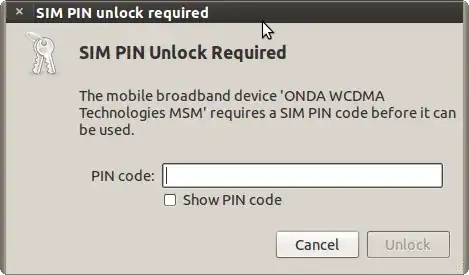
enter image description here

Paolo
  • 1,776
  • 4
  • 21
  • 37

1 Answers1

1

A maintainer of NetworkManager explained the problem using these words:

There are certain modems for which the firmware simply doesn't respond to serial setup packets sent on certain interfaces, which cause the kernel to wait for a while before timing out.

Just in case you are experiencing a similar issue I sincerely suggest you to report it on NM mailing list, they won't miss to help. I got a patch and now the device is recognized in less than 60 seconds.

And bonus, the fix will be submitted to the mainstream kernel for everyone's benefit.

Reference: the full thread.

Paolo
  • 1,776
  • 4
  • 21
  • 37
  • Can you please explain the process of mailing them in detail ? I've a ZTE modem and it takes 2 minutes to connect. – avi Oct 16 '11 at 13:17
  • Go to [this page](http://mail.gnome.org/mailman/listinfo/networkmanager-list) and subscribe to the list. You will be sent an email to confirm the subscription. After you have confirmed you can send regular mails to the list using this address: networkmanager-list@gnome.org. Describe carefully the issue and someone will likely help you. – Paolo Oct 16 '11 at 14:57