Somehow, I activated the on-screen keyboard (Onboard) in the unlock screen and I can't deactivate it now. I've restarted the computer, but it's still there in the unlock screen.
How can I deactivate the on-screen keyboard in the unlock screen?
Somehow, I activated the on-screen keyboard (Onboard) in the unlock screen and I can't deactivate it now. I've restarted the computer, but it's still there in the unlock screen.
How can I deactivate the on-screen keyboard in the unlock screen?
GUI method
Search for Onboard settings from the gnome-shell overview.
Under General tab and Desktop integration heading, uncheck the option Show Onboard when unlocking the screen.
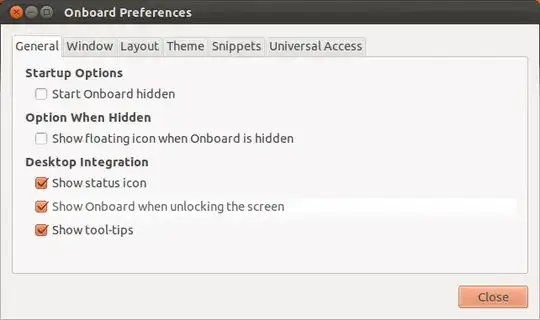
Command-line method
Thanks to fossfreedom's answer to a similar question
Run the following command in a terminal:
gsettings set apps.onboard xembed-onboard false
If the above is not working, try this one:
gsettings set org.gnome.desktop.screensaver embedded-keyboard-enabled false
worked for me (Ubuntu 12.04).
In the Dash, open Onboard Settings.
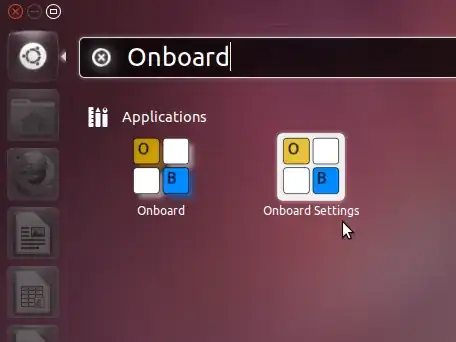
Unmark Show Onboard when unlocking the screen.

Done.

On login page of ubuntu, click human icon on top bar then un check onscreen keyboard.


