2

Using Ubuntu (Linux Mint 12) I have been able to connect to a DFS shared tree on our Windows file server/domain using this command from a terminal window:

sudo mount -t cifs -v //fs4/jmcroot ~/fs4 -o username=myname,password=mypassword

"jmcroot" is the DFS root name on our Windows 2003 file server, named "fs4". ~/fs4 is my local folder where I want to host the mounted DFS tree.

Once mounted (and still working from the terminal window) I can use the CD and LS commands to see and read every folder and file in the mounted folder. It all works, from the terminal window.

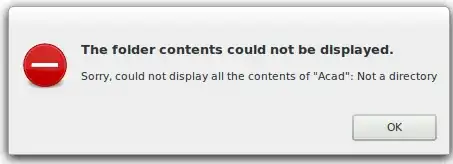
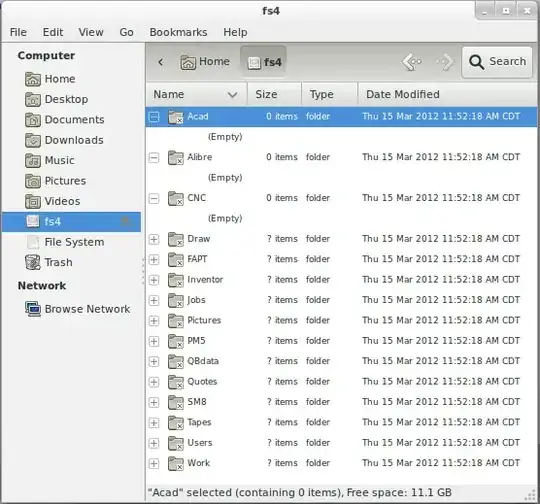
HOWEVER, when I go to the Linux desktop and use the Nautilus file browser, when I click on the mounted path (fs4), I can see folder names, but then when I click on a folder, expecting to see the files in that folder, it gives a message box "The folder contents could not be displayed. Sorry, could not display all the contents ofr "": Not a directoey."

Again, I CAN see these files using the CD and LS commands from a terminal window, but not from the Nautilus file browser, which is where I need to work from.
Terminal Window

Nautilus

Message Box

Matt Slay
  • 179
  • 1
  • 2
  • 7

2 Answers2

1

I've seen this problem before from the command line. It's usually a DNS problem. Check your KeyUtil files, make sure that the setup matches what I listed on my blog post

as you can see the Screenshot bellow {screen shot blocked}, I can browse from Konqueror (which should be similar to Nautilus)

The only other thing i can think is that Nautilus doesn't really obey the Keytools DNS lookup settigns for CIFS connections

pinchii
  • 11
  • 1
  • Still doesn't work for me. I CAN ping the server by it's name (FS4) and IP address. But, Nautilus still cannot see files in the folders. Also, I am on Ubuntu. You're success was on Redhat / CentOS. I am exhausted from this. Maybe I could work with you to remote in and help out? You available to consult me through this? – Matt Slay Mar 19 '12 at 22:30
1

I solved this!!! After hours and hours of Googling and trial-and-error.

Here is the solution, thoroughly detailed in a blog post I wrote:

http://mattslay.com/connecting-ubuntu-to-windows-shares-and-dfs-trees/

Matt Slay
  • 179
  • 1
  • 2
  • 7