That's my question: How can I change the subtitles font size in VLC Media Player? I try with Preferences > Video > Subtitles/OSD, but I can't find an option to change the font characteristics.
Asked
Active
Viewed 1.1e+01k times


2 Answers
15
Set "show settings" to Full, then go to Video > Subtitles/OSD > Text renderer - there you can change the font size in pixels.

noname
- 151
- 1
- 3
-
2Great, Accepted answer didn't work for me ( I didn't see Text Renderer ). I had to click `Show All` button to show detailed settings... – shramee Nov 09 '16 at 05:15
-
1Smaller was too large for me ;) – shramee Nov 09 '16 at 05:15
10
In Linux the option is clearly visible.
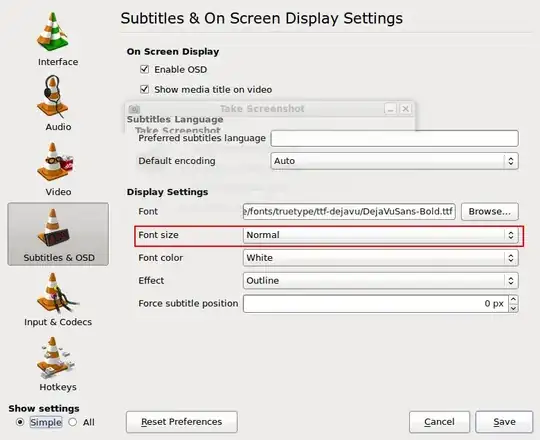
Do you have the latest version of VLC?


-
I've just updated my version and see that screen. Now it works, but I need to write the Font path manually, "Browse" don't keep the selection. – JuanZe Feb 13 '10 at 20:42
-
5