Particularly interested in Windows XP, but all versions of Windows would be useful (if they differ).
EDIT: How does Windows/Windows Update know what to apply and what it has already done? Does it compare .dll/.exe versions or something else?
Particularly interested in Windows XP, but all versions of Windows would be useful (if they differ).
EDIT: How does Windows/Windows Update know what to apply and what it has already done? Does it compare .dll/.exe versions or something else?

There is a log file located at %windir%\Windowsupdate.log which should have all information about updates performed on the system. Alternatively you could check the Add/Remove programs dialog and check off the Show Updates checkbox to see which ones are installed.

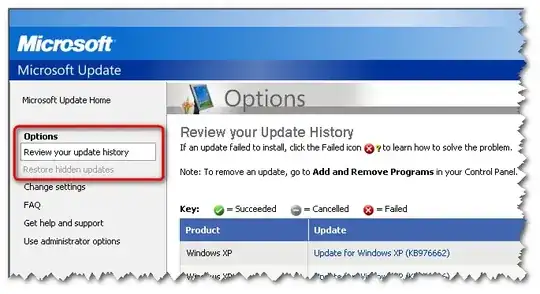
When you click on Windows Update in XP, you'll see a link to view your update history.
I've just come across the following Microsoft web page which sheds some light on the question: Command-line switches for Windows software update packages
Under the heading, Overview of the installation process, it states:
- The [hotfix] installation program registers the software update under one of the following registry keys:
HKEY_LOCAL_MACHINE\Software\Microsoft\Updates\<operating system>\<service pack level>\KB<nnnnnn>HKEY_LOCAL_MACHINE\Software\Microsoft\Windows NT\CurrentVersion\Hotfix\Q<nnnnnn>HKEY_LOCAL_MACHINE\Software\Microsoft\Windows NT\CurrentVersion\Hotfix\KB<nnnnnn>
and
- Removal information for the software update is stored in a hidden folder named:
$NtUninstallQnnnnnn$or$NtUninstallKBnnnnnn$in%Systemroot%


