I am desperately trying to free up space on my SSD. I ran disk cleanup as admin and saw this:

(source: ibin.co)
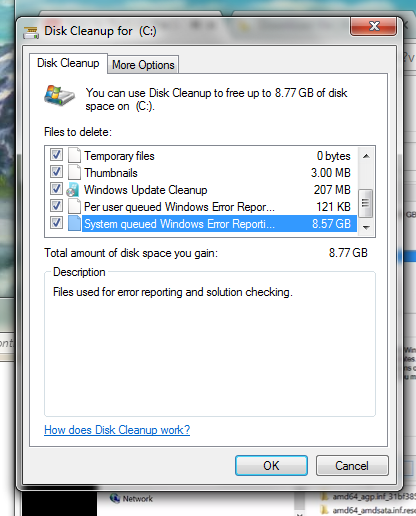
So I ran that, and then looked at disc space, and it only free'd up less than 1GB.
Whats going on?
I am desperately trying to free up space on my SSD. I ran disk cleanup as admin and saw this:
(source: ibin.co)
So I ran that, and then looked at disc space, and it only free'd up less than 1GB.
Whats going on?


Here are some steps you can try for troubleshooting:
Method 1:
Try running the Check Disk and see if it helps: Check the drive for errors.
chkdsk /fMethod 2:
If the issue still persists, try performing SFC (System File Checker) scan on your computer and check if it helps.
sfc /scannow to correct some inconsistencies in file system.Method 3:
Try performing the Disk cleanup in Safe Mode and see if it helps Start your computer in safe mode
Method 4.
Perform a clean boot.
Method 5.
Run maintenance troubleshooter
Recheck if issue is resolved
Hope this helps

When a hardware or software problem occurs on your computer, Windows collects information that describes the problem, called a problem report. Report details can include the name of a program that has stopped working, the date and time that a problem occurred.
Are you using any registry cleaning apps.
It could be caused by some registry cleaning program that was allowed to delete or delete part of these registry entries located at:
HKEY_LOCAL_MACHINE\SOFTWARE\Microsoft\Windows\CurrentVersion\Explorer\VolumeCaches
Use windows defragmenter and then use disk cleanup
