This is what I am up against. I just installed the new version of Lubuntu and VLC is stuck in this position with the top bar hidden out of the display.
Any ideas?
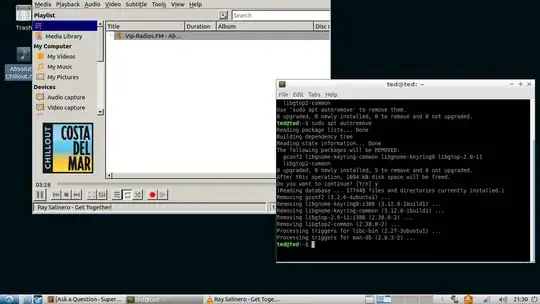
This is what I am up against. I just installed the new version of Lubuntu and VLC is stuck in this position with the top bar hidden out of the display.
Any ideas?


Same happened to me in Raspbian. I discovered all you have to do is hold the Alt key, left click and hold on the VLC window and drag it where you want it.

I had the same problem. I reset my settings like @Stackcraft_noob. This brought my window in the center. The only work-a-round I have found is going to Preferences > Openbox configuration manager and clicking on the margins section and setting a top margin of 25px. It always moves to the top but never hides the menu bar.
