2

I recently bought a new MSI laptop and after installing windows 10 pro I am facing some issues with the screen. First of all, it goes to night mode (shifts color tune) when I am browsing the internet or any light-colored pages like Microsoft Word, it keeps getting warmer and lighter so often when scrolling or changing the window size.

Second, I have a transparency issue whenever I play a video on youtube or on windows, all the windows over the video become transparent and I can't figure out how to solve these issues.

I appreciate all your help.

My device is: MSI GE75 Raider 10SGS-444XES
Intel Core i7-10875H/32GB/1TB SSD/
RTX 2080 SUPER/17.3"/ 240Hz/ intel UHD Graphics
Windows 10 Pro

color-shift & nightmode problem - YouTube video
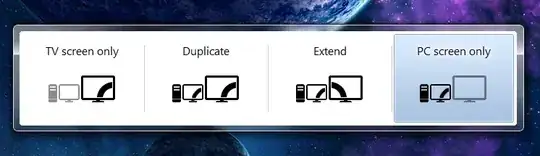
transparency 1 transparency 2

Tetsujin
  • 47,296
  • 8
  • 108
  • 135
  • This is the 2nd instance of this we've seen here this week. My prime suspect would be the Intel graphics drivers. See Intel's download centre & try newer or even older drivers. https://downloadcenter.intel.com – Tetsujin Nov 29 '20 at 12:36

2 Answers2

0

I don't know if that particular laptop has it, but I had this problem on an MSI Laptop with dual GPUs. The fix was to go into Dragon Center and change from hybrid mode to "Discrete GPU" mode, which only uses the nVidia GPU and effectively disables the Intel one.

Tridus
  • 101
  • 2
  • 1
    Please do not post the same answer to multiple questions. If the same information really answers both questions, then one question (usually the newer one) should be closed as a duplicate of the other. You can indicate this by [voting to close it as a duplicate](https://superuser.com/help/privileges/close-questions) or, if you don't have enough reputation for that, [raise a flag](https://superuser.com/help/privileges/flag-posts) to indicate that it's a duplicate. Otherwise tailor your answer to this question and don't just paste the same answer in multiple places. – DavidPostill Mar 14 '21 at 17:05
0

Finally, found the problem, it occurs only after opening Chrome.

--> Go to Chrome Settings --> Launch Chrome, then select “Menu” > “Settings“. --> Scroll down to the bottom and select the “Advanced” option. --> Scroll to the “System” section and toggle “Use hardware acceleration when available” on or off as desired.

I still can't believe it's a fault in Chrome, not MSI or Intel or Microsoft.

Found this fix from a guy in Microsoft forms.

Hope this helps everyone... Cheers